
CRM for real estate in India: a 2026 buyer's guide
Short answer: a real estate CRM in India should pull in portal enquiries from 99acres, MagicBricks and Housing.com, track every site visit, hold your project and unit inventory, turn a booking into a construction-linked payment schedule with GST demand letters, and let your team follow up on WhatsApp. Shortlist on those five jobs before price.
Disclosure: this guide is published by LeadSetu, which makes a CRM. Where we describe how LeadSetu handles a job, we say so, including what it does not do. We name no other vendor here; for side-by-side comparisons see our compare page.
Contents
- Why real estate sales need their own CRM set-up
- The five jobs a real estate CRM must do
- Comparison: spreadsheet, generic CRM, real estate set-up
- How to set up a CRM for a real estate project
- What LeadSetu does and does not do for builders
- Questions to ask before you buy
- Frequently asked questions
Why real estate sales need their own CRM set-up
Selling apartments, plots or villas is not like selling a subscription. A single buyer may enquire on two portals, visit the site twice with family, negotiate for weeks, book with a token amount and then pay in instalments tied to construction milestones for two or three years. A generic pipeline of "new, contacted, won" loses most of that story.
Indian developers also deal with a few problems that teams elsewhere rarely face:
- Portal enquiries arrive in bulk and many are poor. The same buyer is often sold to several sellers, numbers can be fake and some enquiries come from cities you do not serve.
- Channel partners bring a large share of buyers. Disputes over who brought a buyer are common when the record of first contact is weak.
- WhatsApp is where buyers reply. Brochures, floor plans and location pins are shared there, not by email.
- Collections are part of sales. The sales team often owns demand letters and follow-ups on instalments, and every demand carries GST.
A CRM set up for real estate keeps these in one record per buyer, from the first enquiry to the last instalment.
The five jobs a real estate CRM must do
1. Capture every enquiry with its source
Leads come from portals, your website, walk-ins at the site office, hoardings, referrals and channel partners. Each one should land in the CRM with its source recorded, so you can see later which source produced bookings and not just enquiries. For portals, look for a way to receive leads automatically, for example by forwarding the portal's lead emails to the CRM, and for a duplicate check by phone and email.
2. Track site visits as their own step
A site visit is the strongest signal in property sales. The CRM should let a sales executive schedule a visit, send a reminder, record who came and what they liked, and set the next follow-up in one place. Managers need to see visits per executive per week, and enquiries that never got a visit.
3. Hold projects and unit inventory
Buyers ask "what is left on the eighth floor?" Your team needs projects, towers and units with their status (available, blocked, booked) inside the CRM, so a unit is not promised to two buyers.
4. Turn a booking into a payment schedule
After booking, the work changes from selling to collecting. A construction-linked payment schedule, demand letters raised before each milestone, GST on each demand and receipts recorded against them belong on the same buyer record.
5. Follow up where buyers answer
Calls and WhatsApp messages should be logged on the buyer's timeline automatically or with one tap. Approved WhatsApp templates help for site-visit confirmations and payment reminders, and opt-outs must be respected.
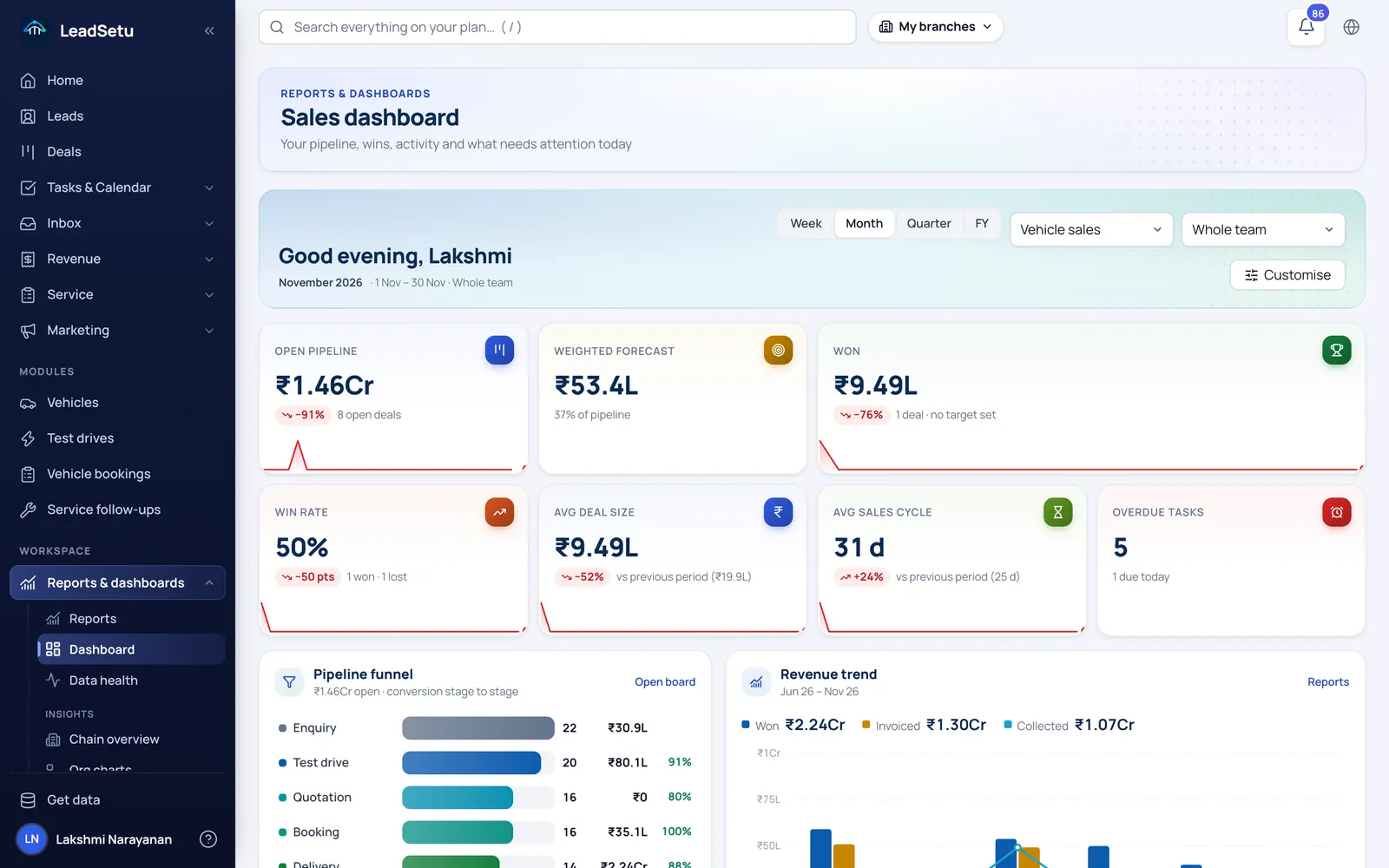
The LeadSetu sales dashboard with demo data: open pipeline, weighted forecast, win rate and the pipeline funnel.
Comparison: spreadsheet, generic CRM, real estate set-up
| Job | Spreadsheet and WhatsApp groups | Generic CRM, untouched | CRM with a real estate set-up |
|---|---|---|---|
| Portal enquiries | Copied by hand, often late | Imported or typed in | Received automatically, with a duplicate check |
| Site visits | A column, if anyone updates it | A task or a meeting | Its own stage and record, with reminders |
| Unit inventory | A separate sheet | Usually missing | Projects and units with status |
| Payment schedule | The accounts team's file | Usually missing | Milestones and demand letters on the booking |
| WhatsApp follow-up | Personal phones, not logged | Depends on the product | Logged on the buyer's timeline |
| Channel partner credit | Arguments | A free-text field | A field on the enquiry, visible in reports |
The comparison is about set-up, not brands. Many CRMs can be configured for real estate; the question is how much of that work you do yourself, and how much comes ready.
How to set up a CRM for a real estate project
These steps work in most CRMs. Where a step names a screen, it is LeadSetu's.
- Define your pipeline stages to match how buyers move: enquiry, site visit, negotiation, booking, agreement, registration, and a lost stage with reasons.
- Add the fields your team asks about on the first call: budget, configuration (1, 2 or 3 BHK), preferred project, purpose (own use or investment), possession timeline, home loan needed, enquiry source and channel partner.
- Load your projects and units, with tower, floor, carpet area and status, so the team can block a unit from the buyer's record.
- Connect your lead sources: forward portal lead emails, add your website form and set the webhook for any other tool.
- Set lead routing, for example by project or city, and a first-response target such as one hour for a new enquiry.
- Create WhatsApp templates for site-visit confirmation, post-visit follow-up and instalment reminders, and submit them for approval.
- Set up the payment schedule for bookings and the reminder that raises a demand letter a week before each instalment.
- Train the team on one habit: every call and visit gets an outcome and a next step before they close the record.
In LeadSetu, the Real estate builders and developers template does most of steps 1 to 3 and 7 in one click. It adds a property sales pipeline with exactly those stages, the fields above, modules for projects, inventory, site visits, bookings and the payment schedule, and workflows such as "Call a new enquiry within the hour", "Follow up after a site visit", "Raise the demand letter 7 days before an instalment" and "Re-engage enquiries idle for 5 days". You can change any of it, and the install can be undone. See the real estate CRM template.
What LeadSetu does and does not do for builders
What it does today, from our product documentation:
- Portal leads. 99acres, MagicBricks and Housing.com lead emails are forwarded to your team's own inbound address and become leads within a minute. Each enquiry is scored from 0 to 100 for quality, with the reasons shown, so the team calls the genuine buyers first. Nothing is deleted: likely junk moves to a junk tab you can restore from. A per-portal dashboard shows cost per genuine lead once you enter your monthly spend.
- WhatsApp. Click-to-chat from your own phone on any plan, or your own WhatsApp Business (Cloud API) number for approved templates, two-way chat, delivery ticks and broadcasts to opted-in contacts. Meta bills its message charges to you.
- Calling. One-click calls and call logging; automatic logs and recordings through your own Exotel, Knowlarity or Twilio account.
- GST documents. Quotes, orders and GST tax invoices with CGST and SGST or IGST, payment links with a UPI QR, and e-invoice JSON. Live IRN generation needs your own GSP subscription.
- Branches. If you sell from several site offices or cities, records can be filed by branch and new leads routed by city or PIN code.
- Offline. Leads, deals and tasks stay readable in the installed web app when the signal drops at a site, and notes, calls and visits sync later.
What it does not do: there is no app-store mobile app (you install the web app from the browser), offline mode is partial, and LeadSetu does not sign in to portals as you. If you need a feature not listed here, ask us before you decide.
For brokers and agencies rather than developers, the real estate broker template fits better. For the general checklist that applies to every industry, read how to choose CRM software in India.
Questions to ask before you buy
Ask every vendor the same questions and write the answers down:
- How do portal enquiries reach the CRM, and how long does it take for a new enquiry to appear?
- What happens when the same buyer enquires on two portals, or comes back through a channel partner?
- Can a unit be blocked from the buyer's record, and can two people book the same unit?
- Where does the payment schedule live, and who raises GST demand letters?
- Are WhatsApp conversations logged against the buyer, and who pays for messages?
- Can a sales executive work from a phone at the site with a weak signal?
- What does the vendor charge for, beyond the plan: modules, languages, WhatsApp, implementation? Take prices from each vendor directly; they change often.
You can see LeadSetu with the real estate set-up already installed: the 24-hour CRM trial creates a login for your industry with sample leads, deals and quotes, and no card. To see how other CRMs answer these questions, use our comparison pages, which cite each vendor's own public pages.
Frequently asked questions
Do I need a separate real estate CRM, or can a general CRM work?
A general CRM can work if you configure pipeline stages, fields, inventory and payment schedules yourself. A real estate set-up saves that work. Judge by how close the product is to your process on day one, and how easy it is to change later.
Can a CRM receive leads from 99acres, MagicBricks and Housing.com automatically?
Many can, usually by forwarding the portal's lead emails to the CRM or through a webhook. In LeadSetu you forward those emails to your team's inbound address, and each lead appears within a minute with a quality score.
How do I stop channel partners and my own team fighting over the same buyer?
Record the source and the channel partner on the first enquiry, and turn on a duplicate check by phone and email. When a buyer comes back, the CRM should add the new enquiry to the existing record instead of creating a second one.
Can the CRM raise GST demand letters for instalments?
Some can. Check that the payment schedule is linked to the booking, that each demand carries the right GST, and that receipts are recorded against it. LeadSetu's builder template adds a payment schedule and a reminder that raises the demand letter seven days before each instalment.
How long does it take to get a real estate CRM running?
It depends far more on your data than on the software. With a ready industry set-up, a small team can start entering new enquiries quickly; loading inventory, old leads and payment schedules takes longer. Without a ready set-up, add the time to design stages, fields and reminders yourself.
Related reading
- All CRM guides
- LeadSetu CRM and industry CRM templates
- CRM software for Indian businesses
CRM guide Real estate India Builders