
How to manage IndiaMART leads in a CRM
Short answer: connect IndiaMART leads to your CRM through the Pull API key from the IndiaMART Lead Manager, add the Push API for instant delivery, match repeats by the query id, score each enquiry for quality, route it to the right salesperson and set a first-response timer. Then compare cost per genuine lead before you renew.
Disclosure: this guide is published by LeadSetu, which makes a CRM. Where we describe how LeadSetu does a step, we say so, including its limits. We name no other CRM vendor here; for side-by-side comparisons see our compare page.
Contents
- Why marketplace enquiries get lost
- Three ways to bring marketplace enquiries into a CRM
- How to connect the Pull API and Push API to a CRM
- Sorting genuine buyers from junk
- Routing, response time and follow-up
- Is the subscription paying for itself?
- What LeadSetu does and does not do
- Frequently asked questions
Why marketplace enquiries get lost
For many Indian manufacturers, traders and exporters, the B2B marketplace is the main source of new enquiries. The problem is rarely the number of enquiries. It is what happens after they arrive:
- They stay in the seller panel or in a mailbox. Someone checks them when they have time, and a buyer who asked for a quotation in the morning gets a call the next day, after three other suppliers have already spoken to them.
- The same buyer appears more than once. A buyer who posts a requirement, then calls, then sends a second enquiry for a related product can become three records, owned by three people.
- Not every enquiry is a real buyer. Test names, fake numbers, students, competitors checking prices and buyers far outside your delivery area all arrive in the same list.
- Nobody can say what the subscription returns. Without tracking each enquiry to a quotation and an order, renewal becomes a guess.
A CRM fixes these only if the enquiries flow in automatically and every one of them gets an owner, a quality label and a next step.
Three ways to bring marketplace enquiries into a CRM
| Method | How it works | Speed | Main risk |
|---|---|---|---|
| Copy by hand or download a file | Someone exports enquiries and imports a spreadsheet | Hours or days | Delays, missed enquiries, typing errors |
| Email forwarding | Lead notification emails are forwarded to the CRM, which reads them | Within minutes | A change in the email layout can miss a field |
| Pull API with a CRM key | The CRM fetches new enquiries on a schedule using a key you generate | Every few minutes | The key expires if unused; rate limits apply |
| Push API (webhook) | The marketplace posts each enquiry to the CRM as it arrives | Instant | Anything missed while the CRM was unreachable needs a pull to catch up |
The sturdy set-up uses two channels together: push for speed, and pull to fill any gap. The CRM must recognise a lead it has already received, so the two channels never create duplicates.
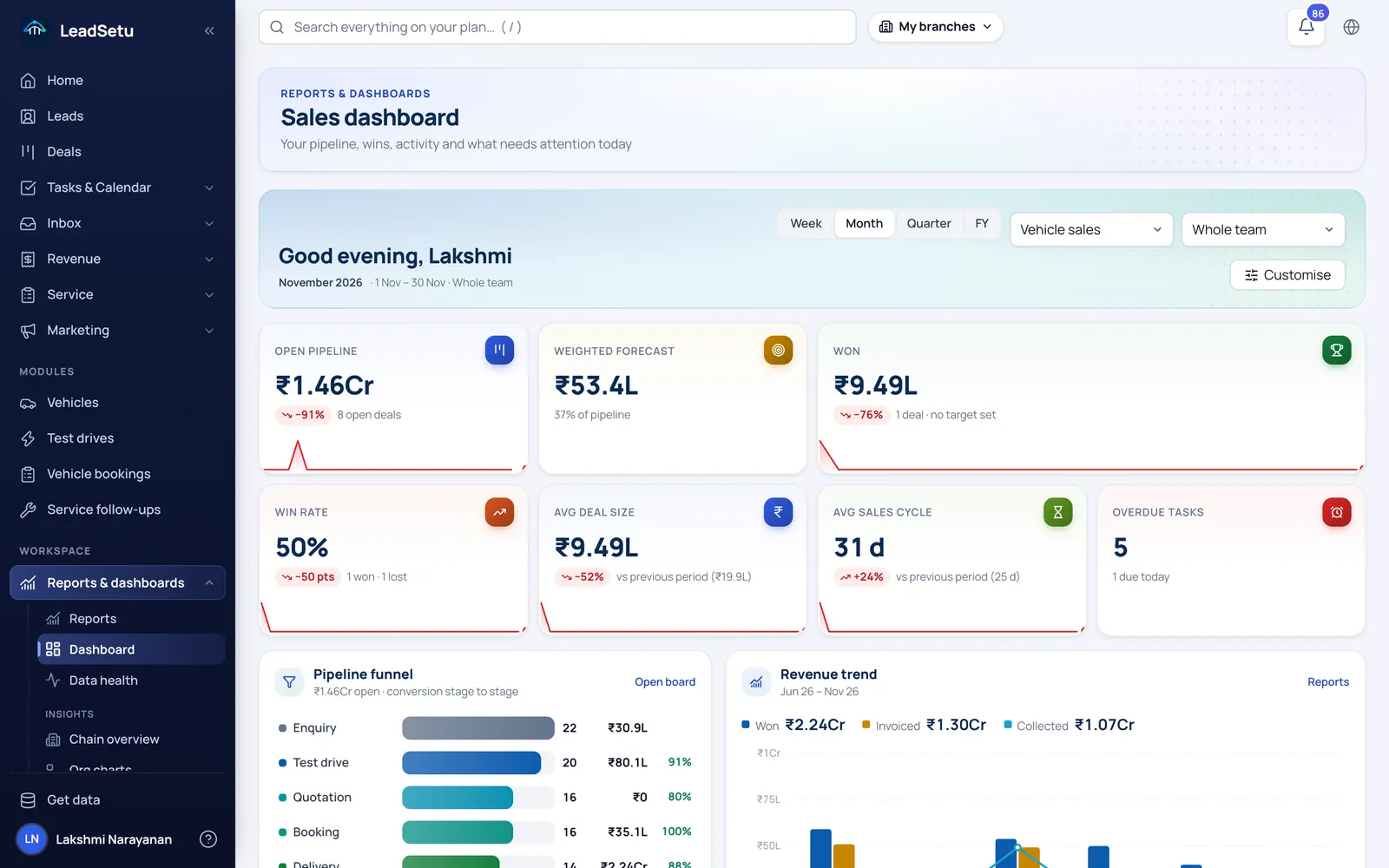
The LeadSetu sales dashboard with demo data. Once enquiries become deals, the pipeline and win rate show what the portal produces.
How to connect the Pull API and Push API to a CRM
The steps below are for LeadSetu. Most CRMs that support the Pull API follow a similar path; check each vendor's own documentation.
- In the IndiaMART Lead Manager, open Import/Export Leads and then Pull API, and choose Generate Key. Copy the CRM key. Generating a new key expires the old one, so do this once and keep the key private.
- In LeadSetu, open CRM > Portal leads > Connections. On the IndiaMART lead card, paste the key into CRM key and choose Connect. The key is stored encrypted and is not shown again.
- Choose Test or Fetch now. The first fetch brings in the last 24 hours of enquiries, so you can check the fields look right.
- Pick the fetch interval. The default is every 15 minutes, and you can choose anything from 10 to 60 minutes.
- For instant delivery, go back to the same IndiaMART Lead Manager menu, open Push API, choose Other and paste the webhook URL shown at the top of the LeadSetu Connections page.
- On the IndiaMART lead card, set New leads go to (one person) or leave it on your routing rules, and enter your monthly spend so the dashboard can work out cost per lead.
- Add your product keywords in the Portal leads settings, so enquiries for things you do not make score lower.
LeadSetu follows the marketplace's documented limits: it never calls twice within five minutes, never asks for more than seven days at once and backs off for 15 minutes when told there are too many requests. Each fetch overlaps the last by five minutes, and the unique query id stops a lead being added twice. If the card shows that the key expired (keys expire after seven days without activity), generate a new one and paste it again. Enquiries from before you connected can be fetched up to a year back, seven days per fetch.
Sorting genuine buyers from junk
Speed matters, but calling every enquiry in arrival order wastes the morning on the worst ones. A quality score lets the team call the likely buyers first.
In LeadSetu, every portal enquiry gets a score from 0 to 100 with its reasons, and one of three labels: Genuine (70 and above), Check (40 to 69) or Likely junk (below 40). You can change both thresholds. The score looks at:
- The phone and email. A valid Indian mobile scores higher; test numbers, repeated digits, disposable email domains and placeholders score lower.
- The name. Test names, spam words and a portal's default buyer name lower the score.
- The company. If the buyer's email domain or company name matches a company in LeadSetu's business data, and the city matches, the score rises. A well-formed GSTIN helps; a GSTIN from a different state than the buyer's lowers it slightly.
- Your service area. Enquiries from outside the cities and states you serve lose points.
- Resold enquiries. The same phone or email arriving from three or more portals in 30 days, or sent several times by one portal, lowers the score.
- What they asked for. A requirement that matches your keywords adds points; one that does not, or a message full of links, takes them away.
Nothing is deleted. Likely junk moves to a Junk tab and can be restored. The score is a guide, not a verdict: a real buyer using a personal email with no company website can land in Check, so someone should look at that tab daily.
Routing, response time and follow-up
Once you trust the flow, the next gain is speed. Configure these in order:
- Accept or auto-accept. Accept turns an enquiry into a CRM lead with the portal as source, the quality as a tag and the requirement in the timeline. If the buyer is already a lead (same phone or email), the enquiry is added to that lead instead. You can turn on auto-accept above a chosen score; Likely junk is never auto-accepted.
- Routing. Accepted leads go through your branch rules, territories and round-robin like any other new lead. A distributor with offices in two states can send enquiries by state or city.
- Instant alert. The assigned person is notified when the enquiry arrives; with nobody assigned, the managers are.
- First-response timer. The default is 30 minutes. Each row shows the time left, and when it runs out the owner and managers are told once. The Call and WhatsApp buttons record the first response.
- Auto-reply. Pick an email template or an approved WhatsApp template to go out once when a Genuine lead is accepted, through your own email or WhatsApp account.
- Workflows. Two triggers, "A portal lead arrives" and "A portal lead is marked likely junk", let you build your own rules, such as creating a quotation task for enquiries above a score.
For manufacturers, the next stage is the quotation. LeadSetu quotes carry HSN codes and split GST into CGST and SGST or IGST from the place of supply, and an accepted quote converts to an order and a GST invoice. The manufacturers and distributors template adds an RFQ stage and dispatch details on top.
Is the subscription paying for itself?
The Dashboard tab on Portal leads shows, for each portal and for 7, 30 or 90 days: leads, genuine leads, junk share, average score, leads accepted, deals won, conversion and median first-response time. With your monthly spend entered on each card, it also shows cost per lead, per genuine lead and per won deal.
Bring that last number to renewal time. If you buy from several portals, the same view tells you which one sends buyers who become orders, not just the most enquiries.
What LeadSetu does and does not do
What it does, from our product documentation:
- IndiaMART leads through your own Pull API key, plus the optional Push API webhook. Other portals (TradeIndia, ExportersIndia, JustDial enquiries, Sulekha, 99acres, MagicBricks, Housing.com) come in through forwarded lead emails or a webhook.
- A quality score, a junk tab, routing, alerts, a first-response timer, auto-reply and per-portal cost reports.
- Leads that need enrichment fill blank fields from the matched company when you accept them, which counts one record view.
- Free plans can connect 2 portals, paid plans 20.
What it does not do: LeadSetu never signs in to a portal as you and never reads a portal's website. It does not need your portal password. The company match covers companies in LeadSetu's data, so a small business that is not in it yet gets no points either way. The inbox shows the newest 100 matches at a time, so filters matter on busy days.
You can try the portal inbox and the rest of the CRM in the 24-hour CRM trial, set up for your industry with sample data. More on portal enquiries and built-in company data is on the built-in leads page, and other industry set-ups are under CRM templates. If you are still choosing a CRM, start with how to choose CRM software in India.
Frequently asked questions
Do I need to share my seller password with a CRM?
No. The Pull API uses a CRM key that you generate in the Lead Manager, and the Push API uses a webhook URL. You can stop either by generating a new key or removing the URL. Be wary of any tool that asks for your seller password.
Why does my IndiaMART lead key keep expiring?
Keys expire after a period without activity (seven days, per the marketplace's documentation) and whenever you generate a new one. In LeadSetu the IndiaMART lead card shows "key expired"; generate a fresh key and paste it again.
Will the same buyer be created twice if I use both pull and push?
Not in LeadSetu: each enquiry carries a unique query id, and repeats are matched and skipped. A buyer who is already a lead by phone or email gets the new enquiry on the existing timeline.
Can I see enquiries that arrived before I connected the CRM?
For IndiaMART leads, yes: LeadSetu can fetch up to a year back, seven days per fetch. Email-based portals start from the first forwarded mail.
How quickly should we respond to IndiaMART leads?
As fast as your team can do it reliably. Set a first-response target the team can meet every day, measure it in the dashboard, and tighten it once the habit is in place. LeadSetu's default timer is 30 minutes.
Related reading
- All CRM guides
- CRM for real estate in India
- LeadSetu CRM and CRM software for Indian businesses
CRM guide IndiaMART Portal leads Manufacturers India