
How to filter junk leads from 99acres, Sulekha and other portals
Short answer: to filter junk portal leads, check every enquiry on arrival: is the phone number real, is the email disposable, does the buyer's company exist in the city they gave, is the same contact being sold by several portals, and does the requirement match what you sell. Score it, call genuine buyers first, and never delete the rest.
Disclosure: this guide is published by LeadSetu, which makes a CRM with a portal leads inbox. Where we describe LeadSetu, we say so, including its limits. We name no other CRM vendor here; for side-by-side comparisons see our compare page.
Contents
- Why portal leads go bad
- Six signals that separate genuine buyers from junk
- Manual checking versus automatic scoring
- How to set up a junk-lead filter in your CRM
- Which portal is worth paying for
- How LeadSetu scores portal leads
- Frequently asked questions
Why portal leads go bad
Listing portals connect Indian sellers with buyers at a scale no single business could reach alone. Manufacturers and traders list on B2B marketplaces, local service firms on directories such as Sulekha, and builders and brokers on 99acres, MagicBricks and Housing.com. Many sellers pay a yearly package for a share of the enquiries.
The trouble is that an enquiry costs the buyer nothing. Some arrive with a number made of one repeated digit. Some come from students filling forms, competitors checking your prices, or bots. Some are genuine but come from a city you cannot serve. And a genuine buyer who fills one form may be passed to many sellers at once, so by the time you call, they have already spoken to five of your competitors.
The result is a sales team that spends its freshest hours dialling dead numbers, and an owner who cannot tell at renewal time whether the portal package paid for itself. The fix is not to stop using portals. It is to check every enquiry quickly and consistently, and to measure each portal by genuine buyers and won deals instead of raw lead counts.
Six signals that separate genuine buyers from junk
You can check these by hand in under a minute per lead. A CRM can check them in a second.
1. The phone number
A valid Indian mobile number is ten digits starting with 6, 7, 8 or 9. Sequential test numbers, a run of one repeated digit and numbers with too few digits are strong junk signals. A landline with an STD code is fine for a business buyer.
2. The email address
An email at the buyer's own company domain is a good sign. A disposable inbox, a placeholder at an obvious test domain or a malformed address is a bad one. A free webmail address is neutral: many genuine small buyers use one.
3. The name
Dummy names, names with digits, spam words and a portal's default placeholder name usually mean the form was filled carelessly or by a script.
4. The company and city
If the buyer gave a company, does it exist, and is it in the city they named? A company with a GSTIN whose state code matches the buyer's state is more believable than one that cannot be found at all.
5. Resale and repetition
If the same phone or email reached you from three portals in a month, or one portal sent it four times, the buyer is shopping widely or the lead is being recycled. Five enquiries from one contact in a day, or the same message from many contacts in an hour, point to a bot.
6. The requirement and service area
An enquiry for "modular kitchen in Pune" is worth more to a Pune interior firm than a blank requirement or a request for something you do not sell. Buyers outside your cities or states should be lower on today's call list, not deleted.
Manual checking versus automatic scoring
| Approach | How it works | Strength | Weakness |
|---|---|---|---|
| Call every lead in order | The team dials leads as they arrive | Nothing is missed | Hours lost on dead numbers; genuine buyers wait |
| Manual triage | A coordinator checks each lead and marks it | Human judgement | Slow at night and on weekends; inconsistent between people |
| Rule-based score in the CRM | Each lead gets points for good and bad signals, with reasons | Instant and consistent; reasons are visible | Rules miss context a human would catch |
| Score plus human review | Genuine leads go straight to sales; borderline ones are checked | Speed for good leads, care for unclear ones | Someone must review the middle band daily |
The last row is usually the practical answer. Let the score sort the obvious cases and keep people for the unclear middle.
How to set up a junk-lead filter in your CRM
These steps work in most CRMs that accept leads by email or webhook. Where a step names a screen, it is LeadSetu's.
- Connect each portal so that leads reach the CRM without copying: forward each portal's lead emails to the CRM's inbound address with a mailbox rule, or use the portal's API or a webhook where one exists.
- Write down your service area (cities, states or PIN codes) and the product or service keywords that real buyers use.
- Decide your bands: for example, genuine at 70 and above, check between 40 and 69, likely junk below 40.
- Route genuine leads straight to sales with an instant alert and a first-response target, such as 30 minutes.
- Send borderline leads to a review list that one person clears every morning.
- Move likely junk to a separate tab, never delete it, and sort that tab by score once a week to rescue genuine buyers with odd details.
- Record each portal's monthly spend so the CRM can work out cost per genuine lead and per won deal.
- Review the bands after a month: if many won deals came from the check band, lower the genuine threshold.
Which portal is worth paying for
At renewal time, the question is not "how many leads did we get?" but "how many genuine buyers did we get, and what did each won deal cost?" Track, per portal and per period:
- leads received, genuine leads and the junk share;
- leads accepted into the pipeline and deals won;
- the median time to first response;
- spend divided by genuine leads and by won deals.
A portal with fewer leads but a higher genuine share and faster wins may be worth more than one that floods you with enquiries. Response time also matters: if your team took hours to call genuine buyers from one portal, the portal may not be the problem.
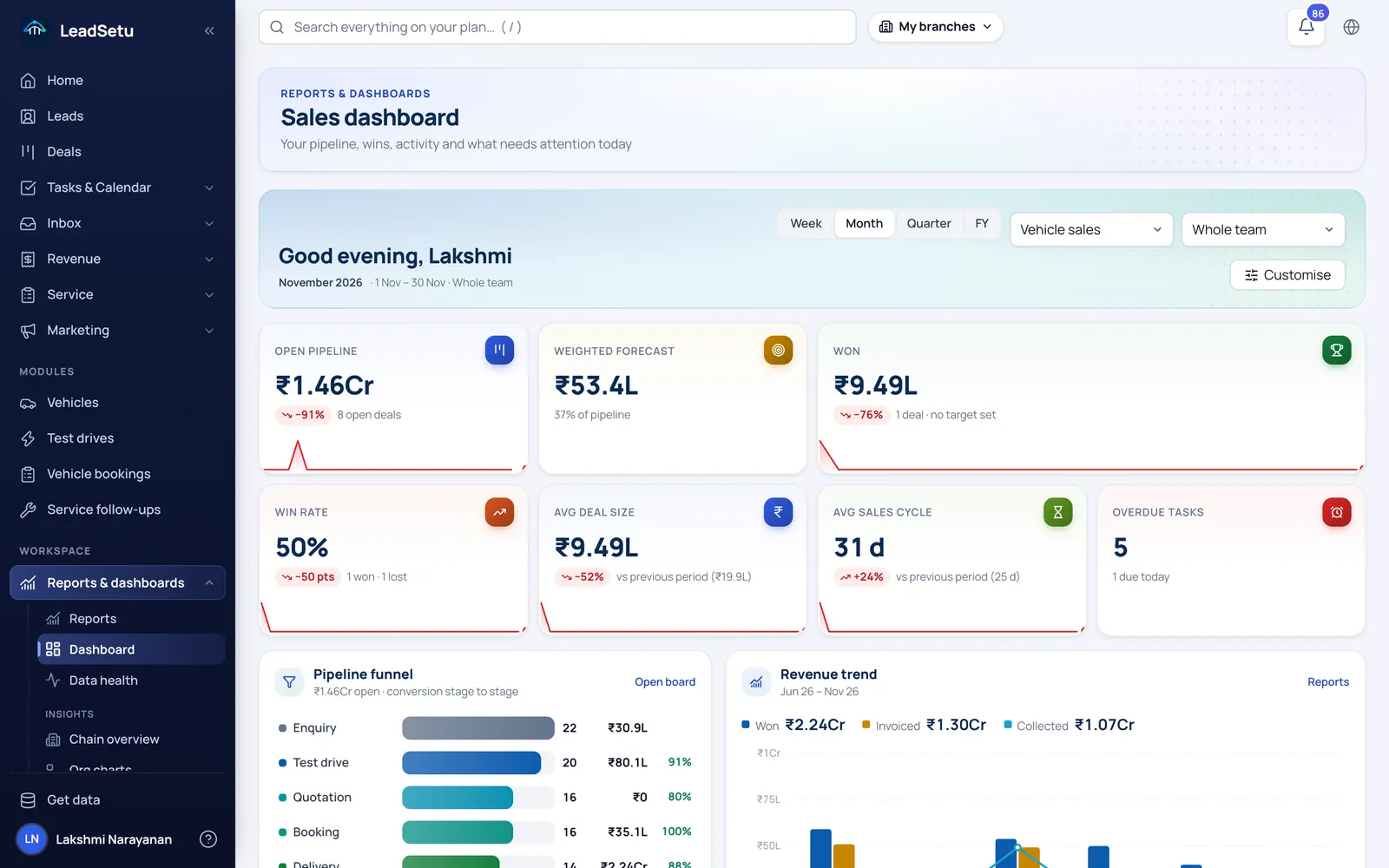
The LeadSetu sales dashboard with demo data. Accepted portal leads flow into the same pipeline and win-rate figures.
How LeadSetu scores portal leads
LeadSetu's Portal leads inbox does the checks above automatically. From our product documentation:
- Sources. IndiaMART leads through your own Pull API key; JustDial enquiries and leads from Sulekha, 99acres, MagicBricks, Housing.com, TradeIndia and ExportersIndia through lead emails you forward to your team's own inbound address; anything else through a webhook. LeadSetu never signs in to a portal as you and never needs your portal password.
- A score from 0 to 100 with reasons. Phone, email and name checks; a match against LeadSetu's company data (the company known, its city matching, a CIN or GSTIN on record); a person match; your service area, including your branches' cities; resale signals across portals; your keywords; and speed patterns. Hover over the score to see each reason and its points.
- Three labels. Genuine (70 and above), Check (40 to 69) and Likely junk (below 40); you can change both thresholds. Junk moves to a Junk tab and can be restored. Nothing is deleted.
- Automation. Auto-accept above a score you choose (likely junk is never auto-accepted), routing through your branch rules and territories, instant alerts, a first-response timer (30 minutes by default) and an optional auto-reply through your own email or WhatsApp provider.
- A portal dashboard. Leads, genuine leads, junk share, average score, accepted, won and conversion, median first response, and cost per lead, per genuine lead and per won deal once you enter each portal's spend.
Honest limits: the score is a guide, not a verdict. A genuine buyer on a free email with no company website scores lower than one LeadSetu can match, so review the Check tab too. Small businesses not yet in LeadSetu's data get no points either way. Portals can change their email layouts; when a field is missed, the phone and email are still picked up and the full mail is kept on the lead. Free plans can connect 2 portals and paid plans 20.
For a step-by-step set-up of IndiaMART leads, see the earlier guide on managing IndiaMART leads in a CRM, listed on the CRM guides page. For builders working with property portals, see CRM for real estate in India. To follow up genuine buyers automatically, read lead follow-up automation.
You can try the inbox in a 24-hour CRM trial with no card, or read more about leads built into the CRM.
Frequently asked questions
Should I delete junk portal leads?
No. Move them out of the sales queue but keep them. A buyer with an odd number or a free email may still be genuine, and the junk history is evidence when you discuss quality with the portal.
Can a CRM tell if a lead was sold to other sellers?
It can spot patterns: the same phone or email arriving from several portals, or many times from one portal. LeadSetu also counts, without naming anyone, when the same contact was sent to several other businesses on LeadSetu that week. A manager can switch that signal off.
What score should count as a genuine lead?
Start with the default bands and adjust after a month of real results. If deals keep coming from the middle band, lower the genuine threshold; if the sales team complains about junk among genuine leads, raise it.
How fast should we call a genuine portal lead?
As fast as you can manage consistently. Buyers often contact several sellers, so set a first-response target, measure it per portal and per person, and alert managers when it is missed.
Does filtering need my portal password?
It should not. Forwarded lead emails, an API key you generate yourself and a webhook are enough. LeadSetu receives portal leads only through those channels, and you can stop any of them at any time.
Related reading
- All CRM guides
- LeadSetu CRM and industry CRM templates
- CRM software for Indian businesses
CRM guide Portal leads Lead quality India