Lead follow-up automation: a CRM playbook for Indian teams
Short answer: automate lead follow-up in four layers: route every new lead to an owner instantly, start a first-response timer, let workflows create tasks and reminders when leads go quiet, and enrol prospects in sequences of emails, calls and WhatsApp steps that stop the moment they reply. Keep humans for the conversations; let the CRM remember.
Disclosure: this guide is published by LeadSetu, which makes a CRM with workflows and sequences. Where we describe how LeadSetu does something, we say so, including its limits. We name no other CRM vendor here; for side-by-side comparisons see our compare page.
Contents
- Why follow-up breaks down
- The four layers of follow-up automation
- Workflows versus sequences
- How to automate lead follow-up step by step
- Five follow-up rules worth copying
- Mistakes that make automation backfire
- What LeadSetu does and does not do
- Frequently asked questions
Why follow-up breaks down
Ask any sales manager why deals are lost and slow or missing follow-up comes up quickly. It rarely happens because people are lazy. It happens because follow-up is a memory problem:
- Leads arrive faster than people can sort them. Portal enquiries, website forms, calls and WhatsApp messages land in different places at different times.
- Nobody owns a new lead. Without assignment rules, a lead sits until someone notices it, or two people call the same buyer.
- The second and third touch never happen. Salespeople call once, send a quote, and then move on to new leads. The buyer who needed a nudge never gets it.
- Follow-ups continue after the buyer answered. A generic "just checking in" email after the customer already said yes, or said no, looks careless.
- Managers find out too late. By the time someone notices a lead went cold, it is a month old.
Automation solves the memory problem. It cannot fix a poor offer or a rude call, so the goal is to make sure every lead gets a timely human conversation, not to replace that conversation.
The four layers of follow-up automation
1. Routing
Every new lead should have an owner within seconds. Common rules are round-robin across a team, assignment by state or city, by product line, or by source (for example, all export enquiries to one person). With branches, routing can send a lead to the right office first and then round-robin inside it.
2. A first-response timer
A response target turns "call new leads quickly" into something measurable. The CRM starts a timer when a lead arrives, shows the time left, and alerts the owner and their manager when it is missed. Some teams also reassign the lead automatically when the target is missed.
3. Event-based workflows
Workflows react to what happens: a lead is created, a deal changes stage, a quote is sent, an invoice falls due, a task goes overdue, or nothing has happened for a number of days. They then do something: create a task, notify someone, change a status, send an email from the owner's mailbox, or enrol the lead in a sequence.
4. Multi-step sequences
A sequence is a planned cadence, such as an email today, a call task in two days, a WhatsApp follow-up in four, and a final email in a week. The important part is the stop rule: the sequence ends by itself when the lead replies or the deal is won or lost.
Workflows versus sequences
| Workflow | Sequence | |
|---|---|---|
| Starts when | Something happens on a record (an event or a date) | A person or a workflow enrols a lead |
| Shape | When this happens, if these conditions hold, do these actions | A fixed series of steps with waits between them |
| Typical use | Assignment, SLA alerts, stage-based tasks, paperwork | Prospecting cadences and nurture after a quote |
| Channels | Tasks, notifications, field updates, email, webhooks | Emails from your mailbox, plus call, WhatsApp and to-do tasks |
| Stops when | Its conditions no longer match | The lead replies, unsubscribes, bounces, or is won, lost or unqualified |
Most teams need both: workflows to keep the pipeline tidy and sequences to keep conversations moving.
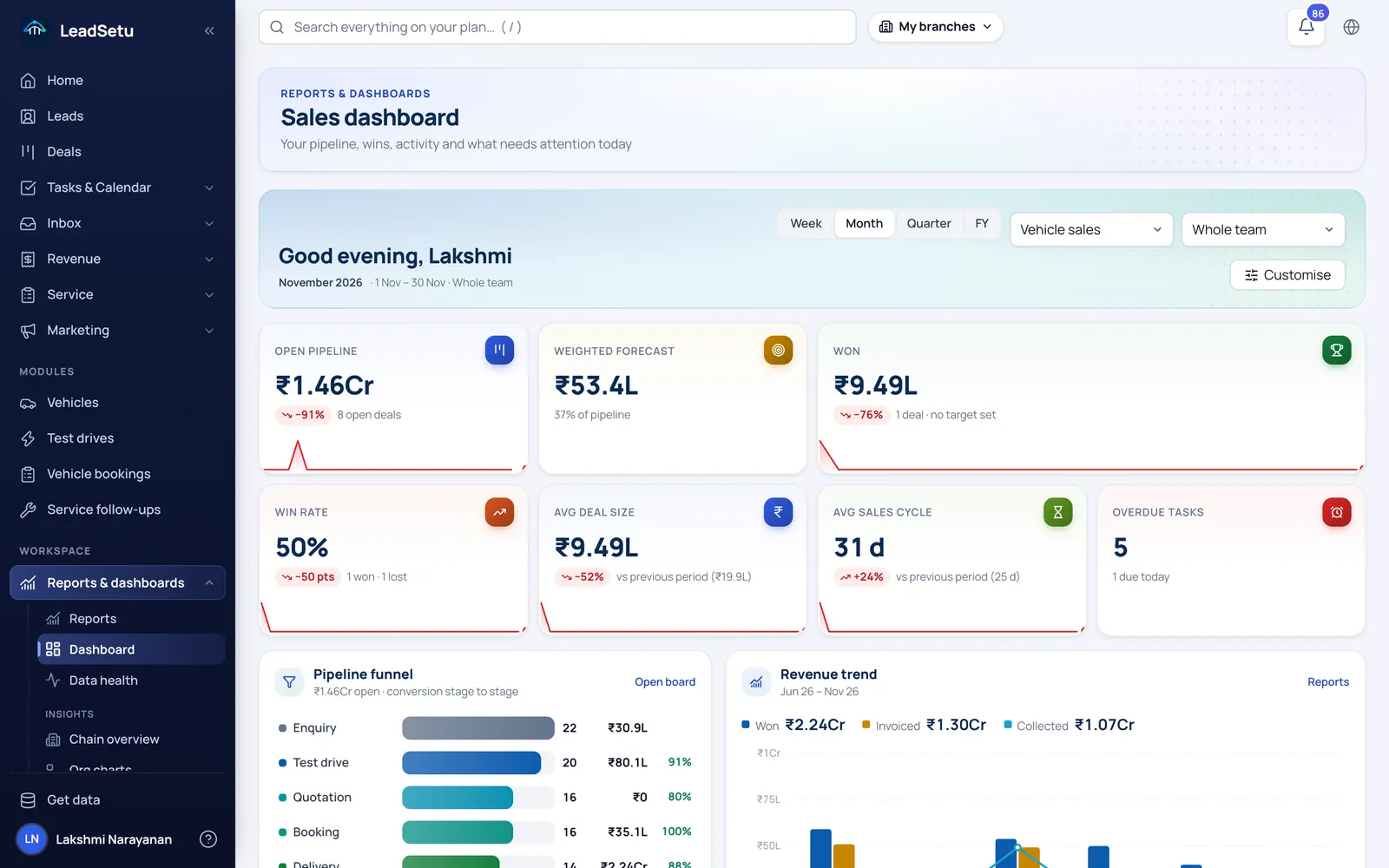
The LeadSetu sales dashboard with demo data. Faster follow-up should show up here as a healthier funnel and win rate over time.
How to automate lead follow-up step by step
These steps follow LeadSetu's screens. The order works in any CRM with automation.
- Map where your leads come from today and who should own each kind. Write it on one page before touching any settings.
- Turn on automatic assignment under Automation > Routing & SLA: round-robin or by state, or set branch routing rules by city or PIN code if you have several offices.
- Set a response SLA in hours, and decide whether a missed SLA should reassign the lead. For portal leads, set the first-response timer in minutes on the Portal leads settings; the default is 30.
- Create a workflow for quiet leads: when there has been no activity for a set number of days, create a call task for the owner and notify the manager if the lead is high value.
- Create a workflow for deal stages: when a deal moves to quotation sent, create a follow-up task three days later; when a quote is about to expire, remind the owner.
- Build a sequence for new prospects: an intro email, a call task, a WhatsApp follow-up and a closing email, each with a wait. Set the sending window (Asia/Kolkata by default) and the stop rules.
- Test each rule on a sample record, then switch it on. Check the run log after the first day to see what fired.
- Review once a month: which rules fire most, which tasks are ignored, and whether first-response times improved.
Five follow-up rules worth copying
These are starting points. Adjust the timings to your sales cycle.
- New lead, no call yet. When a lead is created and no call is logged within your target, notify the owner, then the manager. LeadSetu's industry templates ship rules like "Call a new enquiry within the hour" for builders and "Call a new prospect within 30 minutes" for dealers.
- After a meeting or demo. When a deal moves past the demo or site-visit stage, create a follow-up task for the next day with the talking points from the notes.
- Quote sent, no answer. Three days after a quote is sent, create a call task; after a week, send a short email from the owner's mailbox asking whether anything needs to change.
- Idle for five days. When a lead has had no activity for five days, enrol it in a short re-engagement sequence, or move it to a nurture status.
- Invoice due. A few days before an invoice is due, send a reminder with a payment link; after the due date, escalate through dunning levels. LeadSetu's payment reminders stop once the invoice is paid.
Mistakes that make automation backfire
- Automating before the process is clear. If the team does not agree on stages, automating them spreads the confusion faster.
- No stop rules. A sequence that keeps emailing after a reply damages trust. Make sure every cadence ends on a reply, a win or a loss.
- Too many notifications. If every rule pings the manager, managers stop reading. Notify people only when they need to act.
- Ignoring consent. Do not enrol contacts who opted out or are on your do-not-contact list. LeadSetu asks you to declare a lawful basis under the DPDP Act when you enrol leads, and never emails do-not-contact or opted-out addresses.
- Set and forget. Rules that made sense last year may be creating useless tasks today. Read the run log.
What LeadSetu does and does not do
From our product documentation, LeadSetu offers on every CRM plan:
- Workflows with triggers for leads, deals, quotes, orders, invoices, payments, web forms, replies, overdue tasks, inactivity and dates, AND/OR conditions, delays, and actions including assign, create task, change status, tag, enrol in a sequence, notify, update fields, email from the owner's mailbox, create a deal, convert documents and call a signed webhook. A visual canvas shows the same rule as boxes.
- Routing and SLA: round-robin or by-state assignment, a response SLA in hours, and optional reassignment when it is missed. Branch routing by city or PIN code.
- Sequences of email, call, WhatsApp and to-do steps, with A/B variants, a sending window, and stop rules on reply, unsubscribe, bounce, do-not-contact, won, lost or unqualified. Sequences need the Outreach section switched on as well as the CRM.
- Portal lead automation: auto-accept above a score, routing, instant alerts, a first-response timer and an auto-reply.
- A run log and an error queue with retry, and scheduled actions you can cancel.
Limits: timer and date triggers are checked about every five minutes and fire once per record. A workflow cannot change a field that the person's role could not change, and validation rules still apply. Every sequence email carries an unsubscribe link and your postal address, and daily caps apply per sender. Paid plans include up to 100 workflows.
Try the rules with sample data in the 24-hour CRM trial, or read more about LeadSetu CRM and the industry templates, which come with ready workflows. For channel-specific follow-up, see WhatsApp CRM for small business, and for car showrooms, CRM for car and two-wheeler dealers.
Frequently asked questions
What is the difference between a workflow and a sequence?
A workflow reacts to an event on a record, such as a stage change or an overdue task, and runs actions. A sequence is a planned series of steps with waits that a lead is enrolled in, and it stops when the lead replies or the deal closes.
Will automated follow-ups feel robotic to customers?
They can, if the messages are generic or keep going after a reply. Write follow-ups as short personal notes, send emails from the owner's own mailbox, use call and WhatsApp tasks for a human touch, and make sure every sequence stops on a reply.
How fast should a new lead be contacted?
As fast as your team can do it every day. Pick a target you can meet, measure it with a first-response timer, and tighten it as the habit forms. Industry templates in LeadSetu use targets from 30 minutes to two hours depending on the business.
Can automation send WhatsApp messages?
Workflows and sequences can create WhatsApp tasks for a person to send. Automated WhatsApp sending, such as a portal lead auto-reply or a payment reminder, uses your own WhatsApp Business number and an approved template.
Do I need a developer to set up follow-up automation?
No. Workflows, routing and sequences are set up from screens, with no code. Signed webhooks and the API are there if you want to connect other systems.
Related reading
CRM guide Automation Follow-up Sales process India