
Tally CRM integration: a step-by-step guide for 2026
Short answer: a Tally CRM integration sends customers, products, GST invoices and receipts from the CRM into Tally Prime or Tally ERP 9 so your accountant never retypes them. Choose a one-way XML export for occasional transfers, or a two-way sync when receipts entered in Tally must mark CRM invoices as paid and balances must match.
Disclosure: this guide is published by LeadSetu, which makes a CRM with a Tally export and a two-way Tally sync. Where we describe how LeadSetu does something, we say so, including its limits. We name no other CRM vendor here; for side-by-side comparisons see our compare page.
Contents
- Why Indian businesses keep Tally and still need a CRM
- One-way export or two-way sync
- What should move between the CRM and Tally
- How to set up a one-way Tally export
- How to set up a two-way Tally sync
- Conflicts, cancellations and common errors
- Questions to ask any CRM vendor about Tally
- Frequently asked questions
Why Indian businesses keep Tally and still need a CRM
For many Indian SMEs, the books live in Tally because the CA works in Tally. That is not going to change because the sales team buys a CRM, and it should not have to. The friction comes from the gap between the two:
- Double entry. Sales raises a quotation and an invoice in one place; accounts types the same invoice into Tally.
- Different party names. "Sharma Traders" in the CRM is "Sharma Trading Co." in Tally, so nobody can match outstanding amounts to customers.
- Stale payment status. A customer pays by NEFT, accounts enters the receipt in Tally, and the salesperson keeps chasing them for a week because the CRM still shows the invoice as unpaid.
- GST mismatches. Tax ledgers named differently on each side, or IGST booked where CGST and SGST were due.
An integration closes that gap. The question is how much of it you need.
One-way export or two-way sync
| One-way XML or Excel export | Two-way sync through a connector | |
|---|---|---|
| Direction | CRM to Tally only | Both ways |
| How it runs | You download a file for a date range and import it in Tally | A small program on the Tally PC polls and sends changes |
| Receipts entered in Tally | Not seen by the CRM | Mark the CRM invoice paid or part-paid |
| New ledgers created in Tally | Not seen by the CRM | Become customers or vendors in the CRM |
| Edits and cancellations | Re-export by hand | Altered or cancelled in Tally automatically |
| Set-up effort | Ledger names once | Ledger names, a connector token and the Tally HTTP server |
| Needs | Any computer with Tally | A Windows PC running Tally, with the company open |
The one-way export suits a business that sends invoices to its CA once a month. The two-way sync suits one where sales and accounts work on the same customers every day and both need to see the same balances.
What should move between the CRM and Tally
Agree this with your accountant before you switch anything on.
- Masters. Customers and vendors as ledgers under Sundry Debtors and Sundry Creditors, with GSTIN, state and address. Products as stock items with HSN code and GST rate.
- Sales vouchers. Invoices with CGST and SGST or IGST split onto your output tax ledgers, and round off.
- Receipts. Payments received, ideally bill-wise against the invoice number, so they settle the right invoice.
- Credit and debit notes. Returns, price revisions and late fees.
- Purchases and expenses. Vendor bills, vendor payments and expenses, if you record them in the CRM.
Decide too what does not move. Many teams let Tally own amounts, GSTIN and state, and let the CRM own email, phone and address. That one rule prevents most arguments.
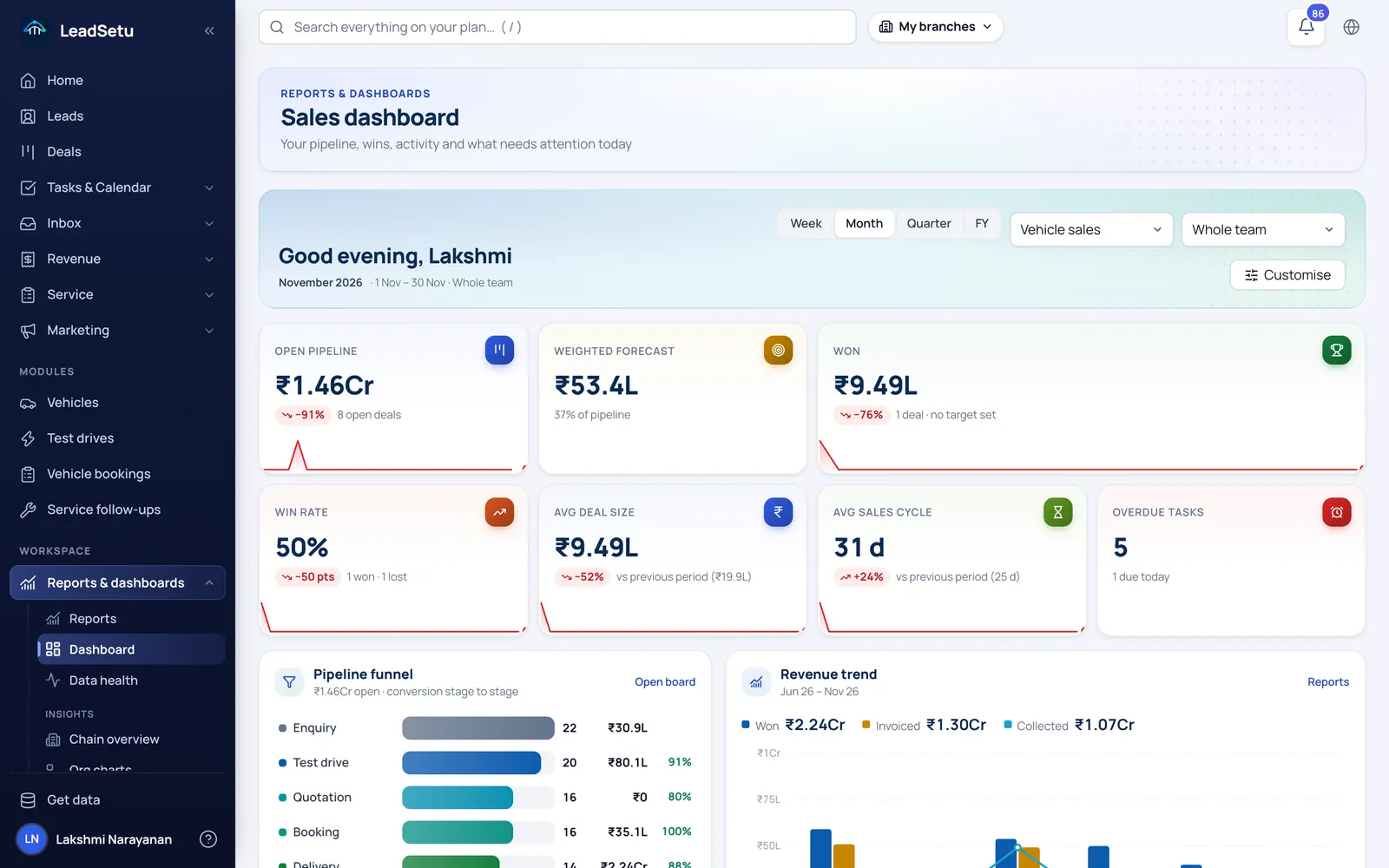
The LeadSetu sales dashboard with demo data. With a Tally sync, invoices marked paid from Tally receipts feed the same revenue view.
How to set up a one-way Tally export
These steps use LeadSetu's Tally export. The ledger names you type must match your Tally company exactly, including spaces.
- Go to CRM > Revenue > Invoices and choose Export to Tally, or open CRM > Revenue > Accounting > Tally export.
- Fill in the ledger names once: Sales, CGST (output), SGST (output), IGST (output), Round off, Sales returns for credit notes, the party group, and your Bank and Cash ledgers. Save them.
- Optionally type the exact company name as it appears in Tally.
- Pick a date range and the vouchers to include: sales invoices, receipts and credit notes.
- Download Tally XML (masters and vouchers), masters only, or an Excel workbook for your accountant.
- In Tally, import the masters first, then the transactions, so every party and tax ledger exists before the vouchers arrive.
- Start with a small date range, check a few vouchers in Tally, then export the rest.
How to set up a two-way Tally sync
LeadSetu's two-way sync uses the LeadSetu Tally Connector, a small Windows program that runs on the Tally PC. Tally only listens on your own network, so the connector sits next to it and makes outgoing connections only, to LeadSetu and to Tally. No port is opened on your PC.
- In LeadSetu, go to CRM settings > Tally sync. Under Connector, choose New connector token and copy it; it is shown once.
- Under Tally companies, type each company name exactly as Tally shows it, one per billing branch if branches keep separate books.
- Check the ledger and group names, choose what syncs which way, and choose how conflicts and cancellations are handled. Save the settings.
- In Tally Prime, open Help > Settings > Advanced Configuration and set Tally to act as a server on port 9000. In Tally ERP 9, use F12 > Advanced Configuration.
- Download the connector, unzip it on the Tally PC, copy config.example.ini to config.ini and paste your token.
- Test with LeadSetuTally.exe --check, and run LeadSetuTally.exe --dry-run to see the XML it would send without changing anything.
- Start it with LeadSetuTally.exe. To start it with Windows, run install_task.ps1. On the first run it links the parties already in Tally before sending anything, so nothing is created twice.
- Watch the Status page. Errors and conflicts lists anything Tally refused, with Retry, and any field changed on both sides.
Once running, new debtor and creditor ledgers in Tally become customers and vendors in the CRM, matched by GSTIN and then by name. A receipt entered in Tally against one of your invoice numbers marks the invoice paid or part-paid. Sales vouchers made directly in Tally appear as invoices marked From Tally, and each party's closing balance shows on its CRM record as the amount outstanding in Tally.
Conflicts, cancellations and common errors
- Conflicts. LeadSetu's default rule is that Tally wins for accounts fields (amounts, GSTIN, state) and LeadSetu wins for CRM fields (email, phone, address). Choose Ask me to decide each conflict yourself with Use Tally or Use LeadSetu.
- Cancellations. Cancel vouchers instead of deleting them. Tally's change feed does not report a deleted voucher, so a deletion is not seen by the sync.
- On-account receipts. A receipt without a bill-wise allocation cannot be matched to an invoice. Ask your accountant to use Agst Ref with the invoice number.
- Ledger names. A ledger called "Output IGST 18%" in Tally but "IGST (output)" in the CRM settings is a typical cause of refused vouchers.
- Company closed. The mapped companies must be open in Tally while the connector runs.
- Revoking access. Revoke a token under Connector at any time; the connector on that PC stops straight away.
Limits of LeadSetu's sync, from our documentation: it runs on Windows only, next to Tally Prime or Tally ERP 9 6.x. Purchases and credit notes entered in Tally are not brought into LeadSetu, although vendor payments against LeadSetu vendor bills are. Documents in a foreign currency are skipped. LeadSetu records Tally's amounts but does not recalculate line items from them.
Questions to ask any CRM vendor about Tally
- Is the integration one-way or two-way, and which documents go each way?
- Does it need a program on the Tally PC, and does that open a port to the internet?
- How are parties matched the first time, so existing ledgers are not duplicated?
- What happens when the same field is changed on both sides?
- Does a receipt entered in Tally update the invoice in the CRM?
- Is Tally integration a paid add-on, or included? Take prices from each vendor directly.
Frequently asked questions
Does Tally integration work with both Tally Prime and Tally ERP 9?
LeadSetu's export and sync support both Tally Prime and Tally ERP 9. The two-way connector needs Tally's HTTP server switched on and runs on the same Windows PC or network.
Will the sync create duplicate ledgers in Tally?
It should not. On its first run, LeadSetu's connector links the parties already in Tally, by GSTIN and then by name, before sending anything new. Run the dry run first to see what it would send.
Can my CA keep working in Tally as usual?
Yes. The point of the integration is that the CA's process does not change. With the two-way sync, receipts they enter bill-wise in Tally flow back to the CRM, so the sales team sees what is paid.
What happens if the Tally PC is switched off?
The sync simply pauses: the connector only works while it and Tally are running, with the mapped companies open. When it runs again it picks up from there, and Sync now on the Status page makes the next poll a full one.
Is a one-way export enough?
For many small businesses, yes: export a month of invoices, receipts and credit notes, import them in Tally and you are done. Move to the two-way sync when the sales team needs payment status and balances from Tally every day.
Related reading
- All CRM guides
- GST invoice software with a CRM
- LeadSetu CRM, CRM with GST invoicing and CRM software for Indian businesses
To see the Tally export screens with sample invoices, start the 24-hour CRM trial.
CRM guide Tally Accounting GST India