CRM for coaching institutes: admissions to fee collection
Short answer: a coaching institute's CRM should record every student enquiry with the parent's number, book and remind demo classes, move each student through counselling to admission, place them in a course and batch, and chase fee instalments before the due date. If it cannot do the fee part, the office ends up running two systems.
Disclosure: this guide is published by LeadSetu, which makes a CRM. Where we describe how LeadSetu handles a job, we say so, including what it does not do. We name no other vendor here; for side-by-side comparisons see our compare page.
Contents
- How admissions really work in a coaching institute
- What to track at each stage
- Register, spreadsheet or CRM: a comparison
- How to set up a CRM for coaching admissions
- Handling the admission season rush
- What LeadSetu does for coaching institutes
- Frequently asked questions
How admissions really work in a coaching institute
A coaching class sells to two people at once. The student decides whether the teaching feels right; a parent or guardian usually decides whether to pay. Enquiries arrive from walk-ins at the front desk, calls after a newspaper insert, website forms, education portals, school seminars and, very often, a friend's recommendation. Most of them arrive in a few weeks around board results and the start of a new academic session.
The usual path looks like this:
- A student or parent enquires about a course: a board class, an entrance exam, a language or a skill course.
- A counsellor calls back, understands the goal and suggests a course and a batch timing.
- The student attends a demo class.
- Fees and the instalment plan are discussed, often with a sibling or early-bird concession.
- The student is admitted, placed in a batch, and pays the first instalment.
- Later instalments fall due through the year, and someone has to remind the parent.
Each of these steps can leak. An enquiry nobody calls back, a demo class the student forgot, a fee discussion with no follow-up date, an instalment that is three weeks overdue before anyone notices. A CRM is mainly a way to stop those leaks.
What to track at each stage
Keep the fields short. A counsellor on the phone will fill in five fields, not twenty.
Enquiry
Student name, mobile number, parent or guardian name and the parent's mobile, class or year, target exam or goal, the course they asked about, preferred mode (classroom or online) and how they heard about you. The source matters later, when you decide where to spend next season's marketing money.
Counselling
What the counsellor recommended, the batch timing that suits the student, and a date for the next step. Objections such as distance, timing or fees are worth recording as reasons, so you can see patterns across the season.
Demo class
Which demo, which date and whether the student came. A reminder the day before and a follow-up call the day after are the two habits that matter most here.
Fees discussed
The quoted fee, any concession and the instalment plan. This is where many institutes lose track, because the discussion happens at the desk and nobody writes down when to call back.
Admitted or not joining
For admitted students: the course, the batch and the first instalment. For students who do not join: a reason, such as fees, timing, distance or chose another institute. Those reasons are the most useful feedback you will get.
Register, spreadsheet or CRM: a comparison
| Need | Paper register | Shared spreadsheet | CRM with a coaching set-up |
|---|---|---|---|
| Enquiry capture | Front desk only | Whoever remembers to type it | Desk, phone, web form and portals into one list |
| Call-back reminders | None | Colour coding, if kept up | A task with a due time for every enquiry |
| Demo class reminders | Manual calls | Manual calls | Automatic reminder before the class |
| Parent details | Sometimes | A column | Separate parent name and mobile fields |
| Batches and courses | Separate register | Separate sheet | Linked to each admitted student |
| Fee instalments | Accounts ledger | Separate sheet | Instalments with due-date reminders on the student |
| Season report | Counted by hand | Formulas that break | Enquiries, demos and admissions by source and counsellor |
A spreadsheet can carry a small institute through one season. It struggles once three counsellors and two branches update it at the same time.
How to set up a CRM for coaching admissions
These steps work in most CRMs; where a step names a screen or template, it is LeadSetu's.
- Set the admissions pipeline: enquiry, counselling, demo class, fees discussed, admitted, and not joining with reasons.
- Add the enquiry fields above, with the parent's name and mobile as separate fields so both can be called and messaged.
- Create your courses and batches with timings and capacity, so a counsellor can see what is open while on the call.
- Put a web form on your website and course pages so online enquiries land in the CRM with their source.
- Add a rule that every new enquiry gets a call-back task within two hours, assigned to a counsellor in turn.
- Set reminders before each demo class and a follow-up the day after.
- Create the fee instalment plan for each admitted student, with a reminder three days before each due date.
- Prepare WhatsApp messages for demo confirmations and fee reminders, and record the parent's opt-in before sending broadcasts.
In LeadSetu, the coaching institutes and tuition classes template does steps 1 to 3, 6 and 7 in one click. It adds an admissions pipeline with exactly those stages, fields such as parent or guardian name, parent mobile, class or year, target exam or goal and preferred mode, modules for courses, batches, demo classes and fee instalments, and workflows such as "Call a new enquiry within 2 hours", "Remind before a demo class", "Follow up after a demo class", "Fee instalment due in 3 days" and "Welcome a new admission". You can change any of it, and the install can be undone. See the coaching institute CRM template.
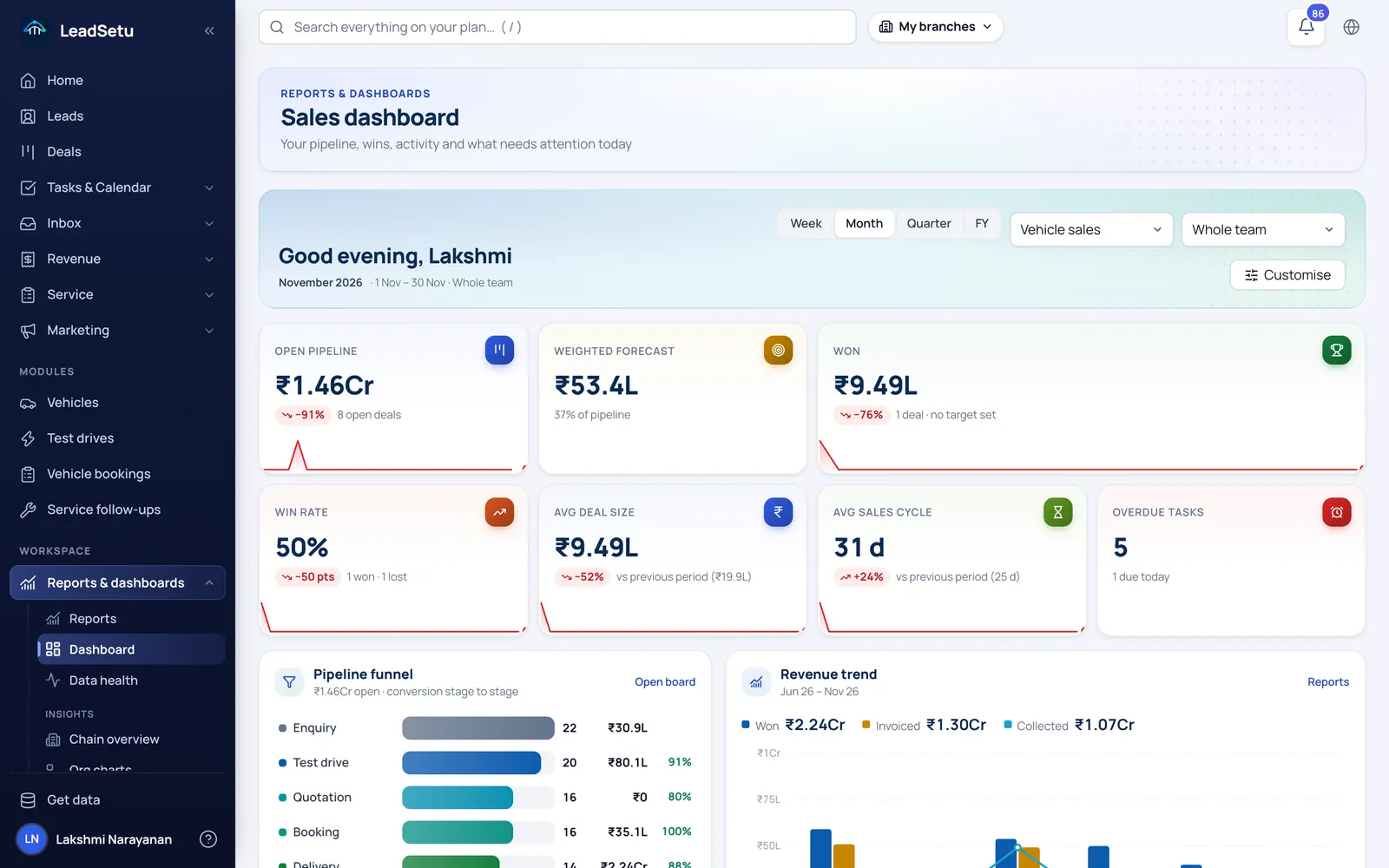
The LeadSetu sales dashboard with demo data. With the coaching template, the pipeline stages are the admission stages.
Handling the admission season rush
The weeks after results are when an institute earns most of its year. A few habits help the CRM carry that load:
- Route enquiries in turn. Round-robin assignment spreads calls evenly, so one counsellor is not sitting on forty enquiries while another has five.
- Watch the first-response time. A parent who enquired at three institutes often joins the one that called back first. Set a target and let managers see who is missing it.
- Use templates for the repeated messages. Batch timings, the address with a map pin, the demo class schedule and the documents needed for admission are the same every time.
- Review "not joining" reasons weekly. If timing is the most common reason, a new evening batch may matter more than a discount.
- Keep branches apart, but visible. If you run centres in several areas, each centre should see its own enquiries while the owner sees the whole picture.
What LeadSetu does for coaching institutes
From our product documentation:
- Enquiries from many places. Web forms on your site, imports from Excel, and leads from portals through forwarded lead emails or a webhook. Duplicate checks by phone and email stop the same parent becoming three records.
- Follow-ups that happen. Tasks and reminders, workflows (for example "if a new enquiry is not called within two hours, notify the centre head"), and sequences that stop by themselves when a lead replies.
- WhatsApp. Click-to-chat from the counsellor's own phone on any plan, with team templates that fill in the student's name and course. With your own WhatsApp Business (Cloud API) number you can send approved templates, chat two ways and broadcast to opted-in parents; Meta bills its message charges to you. A STOP reply opts the contact out.
- Fees and receipts. Fee instalments with due-date reminders, payment links with a UPI QR sent by email or WhatsApp, and receipts. GST invoices are available if your courses are taxable.
- Greetings. Festival and birthday greetings in your institute's name on WhatsApp, email or SMS.
- Branches. Several centres can each have their own records, managers and targets, with leads routed by city or PIN code.
- Languages. The interface is available in 16 languages, 9 of them Indian, so front-desk staff can work in the language they are comfortable with.
What it does not do: LeadSetu is a CRM, not a learning management system. It does not run online classes, attendance, timetables or test series. There is no app-store mobile app; staff install the web app from the browser. Offline mode is partial.
You can see the coaching set-up already installed: the 24-hour CRM trial creates a login for your industry with sample records, and no card. For WhatsApp habits that apply to any small business, read WhatsApp CRM for small business; for reminder rules in more depth, read lead follow-up automation.
Frequently asked questions
Should the student or the parent be the main contact in the CRM?
Keep one record per student, with the parent's name and mobile as their own fields. Messages about fees usually go to the parent, messages about classes to the student. Recording both avoids calling the wrong person.
Can the CRM remind parents about fee instalments automatically?
Yes, if instalments are stored with due dates. In LeadSetu's coaching template, a workflow reminds the team three days before an instalment falls due, and a payment link with a UPI QR can be sent by WhatsApp or email.
How do I know which marketing source brings admissions?
Record the source on every enquiry, then report on admissions, not enquiries, by source. A source that brings many enquiries but few admissions may cost more than it earns.
Can several counsellors share the enquiries fairly?
Use round-robin assignment so each new enquiry goes to the next counsellor in turn, and a first-response target so managers can see delays. With branches, each centre can have its own pool of counsellors.
Does the CRM replace our attendance or online class software?
No. Keep your teaching tools for classes, attendance and tests. The CRM handles enquiries, admissions, communication and fees, which is where most lost revenue sits.
Related reading
- All CRM guides
- LeadSetu CRM and industry CRM templates
- WhatsApp inside your CRM
- CRM software for Indian businesses
CRM guide Coaching institutes Education India