
CRM for manufacturers and distributors in India
Short answer: a CRM for an Indian manufacturer or distributor must handle long B2B cycles: enquiries and RFQs costed on time, quotations with HSN codes and GST, samples and trials, purchase orders, dispatch with transporter and LR details, dealer and distributor records with credit limits, and invoices your accountant can take into Tally. A plain lead list is not enough.
Disclosure: this guide is published by LeadSetu, which makes a CRM. Where we describe how LeadSetu handles a job, we say so, including what it does not do. We name no other vendor here; for side-by-side comparisons see our compare page.
Contents
- How B2B selling differs for manufacturers
- The records a manufacturing CRM must hold
- Where the paperwork lives: a comparison
- How to set up a CRM for a manufacturing sales team
- Managing dealers and distributors
- What LeadSetu does for manufacturers and distributors
- Frequently asked questions
How B2B selling differs for manufacturers
A manufacturer of pumps, packaging, castings or chemicals rarely closes a sale on the first call. A purchase manager sends an enquiry or a formal RFQ, often to several suppliers. Your team has to cost it, which may involve production and purchase, send a quotation, perhaps ship a sample or run a trial, negotiate on price and payment terms, and then wait for a purchase order. After the order come dispatch, invoicing, collection and, if things go well, repeat orders for years.
Several things make this different from consumer sales:
- Two or more people decide. The purchase manager, the plant head and sometimes the owner or accounts all have a say. The CRM needs contacts linked to an account, not a single lead.
- The quote is technical. Line items carry product codes, specifications, HSN codes, GST rates, freight and validity. A wrong rate in a quote becomes a wrong invoice.
- Time to quote matters. A buyer comparing three suppliers often favours the one that answered the RFQ first with a clear quote.
- The channel is part of sales. Many manufacturers sell through dealers and distributors in each territory, and need to track their orders, targets and agreements.
- Accounts are in Tally. The CRM must not create a second set of books, and invoices must reach the accountant without re-typing.
The records a manufacturing CRM must hold
Accounts and contacts
The buying company with its GSTIN, billing and shipping addresses, credit limit and payment terms, and the people at that company with their roles. Many buyers have several plants or warehouses, so more than one shipping address is common.
Enquiries and RFQs
What was asked for, the quantity and annual requirement, the deadline, who is costing it and the status. A due date on every RFQ, and a reminder when costing is late, prevents the slow death of enquiries waiting in someone's inbox.
Products
Your catalogue with codes, units, HSN codes, GST rates and standard prices, so quotations pick items instead of typing them. Price lists for different customer types or dealer tiers help when the same product sells at different rates.
Quotations, orders and dispatch
A quotation that becomes a sales order when the PO arrives, then a dispatch with the transporter, vehicle and LR number, and a GST invoice from the same lines. Delivery challans and e-way bill data belong here too.
Dealers and distributors
Each channel partner with their territory, GSTIN, credit limit, agreement dates and the orders they placed.
Where the paperwork lives: a comparison
| Document | Email, Excel and Tally only | CRM without billing | CRM with GST documents and a Tally link |
|---|---|---|---|
| RFQ | Inbox threads | A lead or deal note | An RFQ record with due date and owner |
| Quotation | Word or Excel file | Attached file | Built from the catalogue with HSN and GST |
| Sales order | PO in email | A deal stage | An order linked to the quote |
| Dispatch details | Store register | Rarely tracked | Transporter, vehicle and LR on the dispatch |
| GST invoice | Typed in Tally | Typed in Tally | Raised from the order, then synced or exported to Tally |
| Payment follow-up | Accounts calls from Tally | Not visible to sales | Status visible to sales; reminders sent |
The further right you go, the fewer times the same line items are typed, and the fewer mismatches between quote, invoice and books.
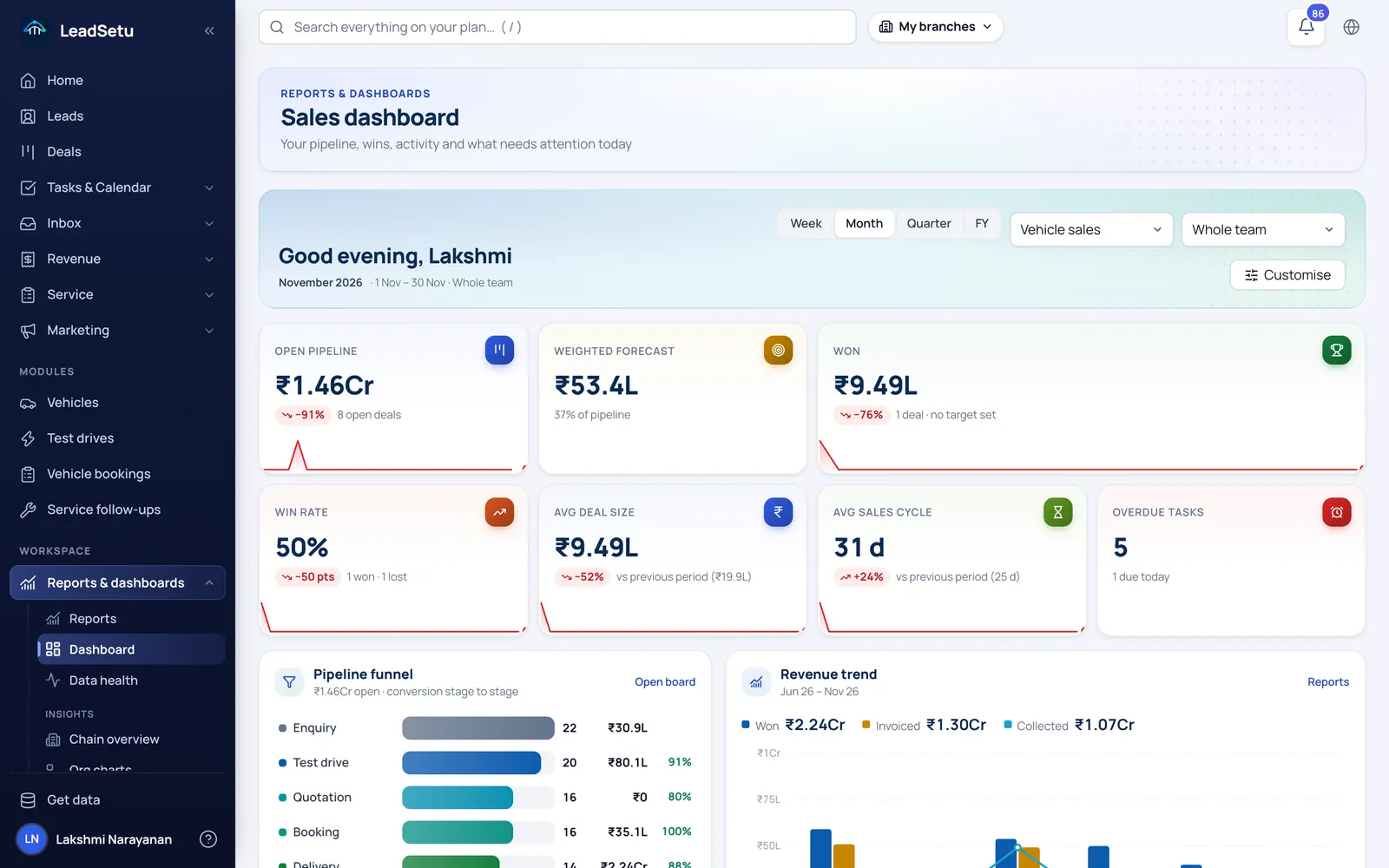
The LeadSetu sales dashboard with demo data: open pipeline, weighted forecast and the funnel by stage.
How to set up a CRM for a manufacturing sales team
These steps fit most CRMs. Where a step names a template or screen, it is LeadSetu's.
- Set the pipeline to match your cycle: enquiry, sample or trial, quotation sent, negotiation, PO received, and lost with reasons such as price, delivery time or specification.
- Load your product catalogue with codes, units, HSN codes and GST rates before anyone writes a quote.
- Import existing customers as accounts with their GSTINs and addresses, and their buyers as contacts.
- Add an RFQ record with a costing due date, and a rule that reminds the owner when costing is late.
- Set your quotation layout, number series and terms, including validity, freight and payment terms.
- Connect enquiry sources: your website form, trade portals by forwarded lead emails or API, and exhibitions by import.
- Add dealers and distributors with territories and credit limits, and assign territories to sales people.
- Link invoicing to your accounts: export or sync invoices, receipts and parties to Tally so nothing is typed twice.
In LeadSetu, the manufacturers and distributors template does much of steps 1, 4 and 7 in one click. It adds a B2B sales pipeline with those stages, fields such as business type, GSTIN, annual requirement, territory and credit limit, modules for dealers and distributors, products, RFQs, customer orders and dispatches with transporter and LR details, and workflows such as "Acknowledge a new enquiry", "Cost a new RFQ within 2 days", "Follow up a quoted RFQ", "Confirm delivery after dispatch" and "Dealer agreement renewal". You can change any of it, and the install can be undone. See the manufacturer CRM template.
Managing dealers and distributors
A dealer network is a sales team you do not employ. A few practices keep it manageable in a CRM:
- One record per partner, with territory. Route enquiries from a territory to the dealer who covers it, or to your own sales person if there is none.
- Track their orders, not just their name. Monthly orders by dealer, against a target, show who is growing and who is going quiet.
- Watch agreement dates and credit. A reminder before a dealer agreement lapses, and a visible credit limit before a large order, save awkward calls later.
- Give partners a window. A private link where a dealer sees their own quotes, orders and invoices cuts down "please resend the invoice" calls.
- Keep the channel conflict-free. Record which dealer brought an enquiry, so a direct sale to their customer is a decision, not an accident.
What LeadSetu does for manufacturers and distributors
From our product documentation:
- GST documents in one flow. Quotes, sales orders and GST tax invoices with CGST and SGST or IGST and HSN or SAC per line; delivery challans, advance invoices, debit notes and credit notes; e-invoice JSON and e-way bill JSON. Live IRN and e-way bill generation on the portal need your own GSP subscription; until then you download the JSON and record the numbers.
- Catalogue and pricing. A product catalogue with variants and bundles, price books with tiers and discount schedules.
- Purchases. Vendors, GST purchase orders, goods received, vendor bills and input tax credit, if you want buying in the same system.
- Tally. A one-way XML or Excel export of invoices, receipts and credit notes with ledger masters, or two-way sync with Tally Prime or Tally ERP 9 through a small Windows connector on the Tally PC.
- Portal enquiries. IndiaMART leads through your own Pull API key, and TradeIndia and ExportersIndia leads by forwarded email or webhook, each scored for quality so the team calls genuine buyers first.
- Customer portal. A private link, with no login, where a customer, vendor or partner sees their deals, quotes, invoices and support cases.
- Branches. Each plant or sales office can carry its own GSTIN, number series and records.
- Company data built in. New leads fill in their company details from LeadSetu's Indian and global company data, within the data categories on your plan. See CRM with built-in leads.
What it does not do: LeadSetu has no stock or warehouse module yet, so stock levels and stock transfers stay in your inventory or accounting software. It is not a production planning system. There is no app-store mobile app; field staff install the web app from the browser.
For the GST and Tally side in more depth, read GST invoice software with CRM and the Tally CRM integration guide. To deal with poor portal enquiries, read how to filter junk leads from portals. You can see the manufacturing set-up installed in a 24-hour CRM trial, with no card.
Frequently asked questions
Should RFQs be leads or deals in the CRM?
Treat the buying company as an account and each RFQ as an opportunity or its own record linked to that account. That way repeat RFQs from the same buyer build a history, and you can report on win rate by customer and product.
Can a CRM replace Tally for a manufacturer?
Usually it should not. Most manufacturers keep their books in Tally because their CA works there. The better pattern is to raise quotes, orders and invoices in the CRM and send them to Tally by export or sync, so the books stay where the accountant wants them.
How do I handle different prices for dealers and direct customers?
Use price lists or price books with tiers, and pick the right one on the quote. This keeps the sales person from editing rates line by line, which is where most pricing mistakes start.
Can the CRM track dispatch and LR numbers?
Yes, if dispatch is a record linked to the order. In LeadSetu's manufacturing template, dispatches carry the transporter and LR details, and a workflow follows up to confirm delivery.
What about stock levels?
LeadSetu does not have a stock or warehouse module yet. Keep stock in your inventory or accounting software and use the CRM for enquiries, quotes, orders, dispatch, invoices and follow-up.
Related reading
- All CRM guides
- LeadSetu CRM and industry CRM templates
- CRM with GST invoicing
- CRM software for Indian businesses
CRM guide Manufacturing Distribution India MSME