Field sales CRM that works offline: a guide for Indian teams
Short answer: a field sales CRM for India should keep each rep's leads, deals and today's tasks on the phone, let them log visits, calls and notes without a signal, and sync safely when the network returns, with a clear way to settle conflicting edits. Check exactly what works offline, because most products need a connection for some tasks.
Disclosure: this guide is published by LeadSetu, which makes a CRM with an offline mode. Where we describe LeadSetu, we say so, including what does not work offline. We name no other vendor here; for side-by-side comparisons see our compare page.
Contents
- Why field teams stop updating the CRM
- What "offline" can mean in a CRM
- Offline approaches compared
- How to roll out a CRM to a field sales team
- Visit logging without surveillance
- What LeadSetu does for field sales
- Frequently asked questions
Why field teams stop updating the CRM
Ask a sales manager why the CRM is out of date and the answer is usually "the field team does not update it". Ask the field team, and the answers are more practical: the app does not load in the dealer's basement, the form has too many fields, the network dropped and the note was lost, or they would rather update everything in the evening and then forget.
Field sales in India covers a wide range of work: a distributor's rep visiting retailers in a market, a pharma representative calling on doctors, a builder's executive at a site office, an insurance agent meeting families, a dealer's salesperson doing a home test drive. What they share is time on the move, a phone as the main device, and network coverage that changes from street to street.
A CRM that works only with a strong connection pushes reps to keep notes on paper or in WhatsApp chats with themselves. The information exists, but not where the manager, the next rep or the customer service team can see it. The aim of an offline-capable CRM is simple: let the rep record the visit at the moment it happens, whatever the signal.
What "offline" can mean in a CRM
"Works offline" is used loosely. Before you buy, ask which of these the product actually does:
Read only
The app shows data it loaded earlier, but you cannot save anything until the connection returns. Useful for checking an address, not for logging a visit.
Read and queue
You can create and edit records offline. Changes wait on the device and are sent when you reconnect. This is what most field teams need.
Conflict handling
If a colleague edited the same record while you were offline, what happens? Some products silently overwrite, which loses someone's work. Better ones keep the server's value and ask you to choose, field by field.
What stays online-only
Sending email or WhatsApp through the system, taking payments, generating invoices, running reports and searching large shared databases almost always need a connection. A product that is honest about this saves surprises.
How much data the device holds
A phone cannot hold the whole company's records. Ask how the working set is chosen: your own leads, recent records, a fixed number.
Offline approaches compared
| Approach | What the rep can do without signal | Risk | Fits |
|---|---|---|---|
| Online-only web app | Nothing; pages fail to load | Notes kept on paper and lost | Office-based teams |
| Paper or notes app, typed later | Write anything | Double work; evening backlog; forgotten details | Very small teams |
| Read-only offline cache | See loaded records | Visits still logged later | Reps who mostly need addresses |
| Read and queue with conflict handling | Create and edit leads, deals, notes, visits and tasks | Sync conflicts need a decision | Most field sales teams |
| Full native app with complete offline database | Almost everything | Heavier app, device storage, updates through app stores | Large field forces with dedicated devices |
The fourth row covers most needs for small and mid-sized Indian teams, provided the product handles conflicts openly.
How to roll out a CRM to a field sales team
A good tool still fails with a poor rollout. These steps help in most CRMs; where a step names a screen, it is LeadSetu's.
- Cut the visit form down to what a rep will fill standing at a counter: outcome, next step, next date and a short note.
- Give each rep a "today" list of follow-ups and planned visits, so the app opens on the day's work.
- Install the CRM on each phone during a team meeting, and switch on offline mode together so everyone sees it work.
- Ask reps to open the records for tomorrow's visits once while on Wi-Fi in the evening, so the latest activity is on the phone.
- Agree on one rule: every visit is logged before the rep leaves the premises, even if it is two lines.
- Show reps how to resolve a sync conflict, so a warning does not become a reason to stop using the app.
- Review visits per rep and follow-ups due in the weekly meeting, using the CRM's dashboard rather than a separate report.
- After a month, ask the team which field they never use and remove it.
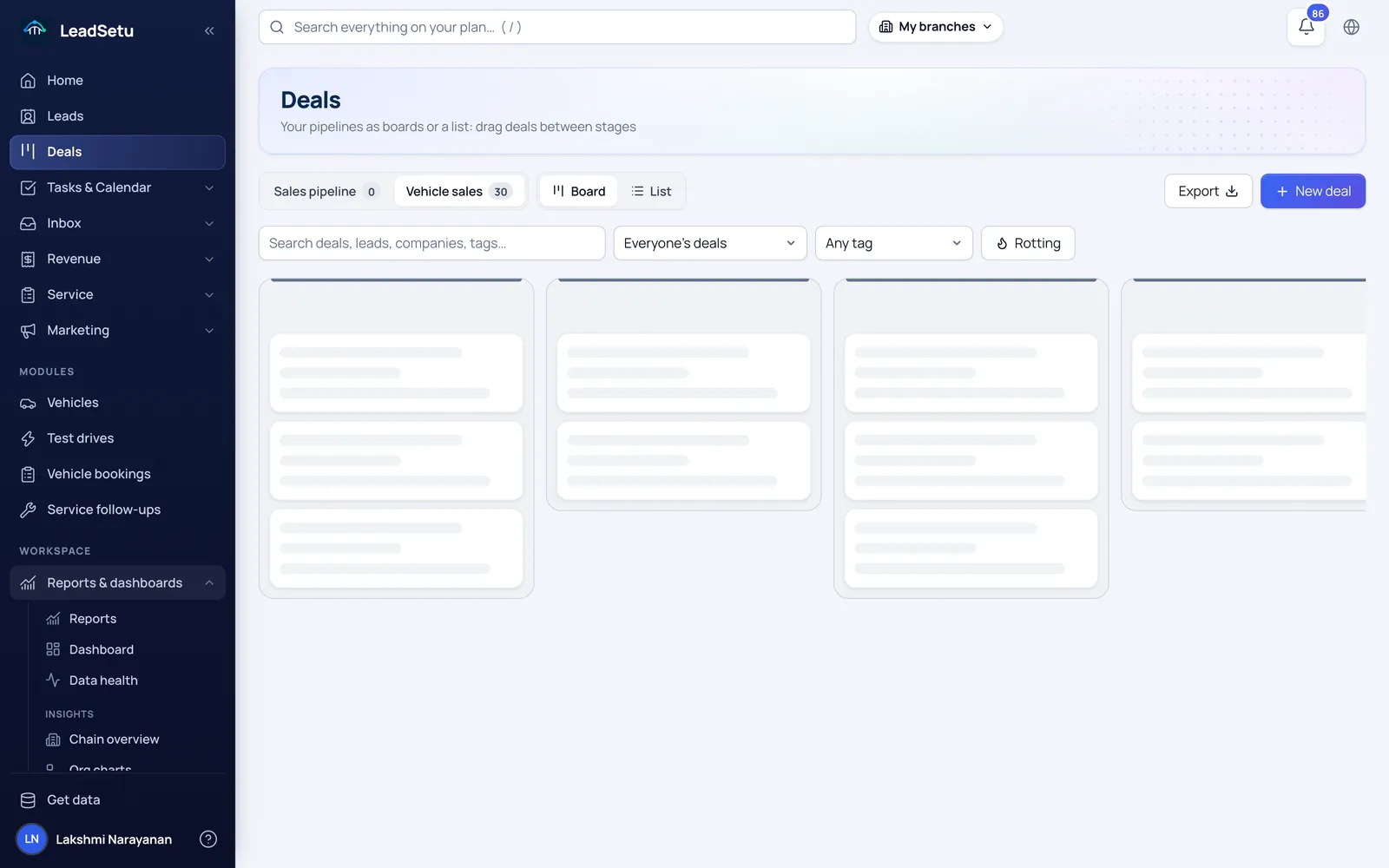
A LeadSetu deals board with demo data. Deal stage moves are among the changes a rep can make offline and sync later.
Visit logging without surveillance
Managers want proof that visits happen. Reps do not want to be tracked all day. Both are reasonable, and India's DPDP Act makes continuous location tracking of employees something to think about carefully.
A balanced approach:
- Location on demand, not in the background. Attach the rep's location to a visit when they log it, with their permission at that moment, instead of tracking them continuously.
- Outcomes over check-ins. A visit with a clear outcome and next step is more useful than a map of dots.
- Measure follow-through. The question is whether follow-ups happen on time and deals move, not how many kilometres a rep drove.
- Be transparent. Tell the team exactly what is recorded and who sees it.
What LeadSetu does for field sales
From our product documentation:
- Mobile view. The CRM laid out for a phone: Today (follow-ups due and overdue), lead search by name, company or phone, and a lead card with large Call, WhatsApp and Email buttons, a quick note, recent activity and Log a visit.
- Install like an app. Install LeadSetu from the browser menu (Install app or Add to Home screen), with shortcuts to Today's follow-ups and Leads.
- Offline mode. Each person turns it on in CRM settings. Readable offline: your leads and deals (by default the 2,000 most recently updated ones you can see), open tasks, recent activity, linked accounts and contacts, pipelines and stages, fields, the team list and Today. Saved offline and synced later: new leads, lead edits, new deals, deal edits and stage moves, notes, visits, logged calls, new tasks and completed tasks. Each change shows "Saved offline, will sync" until it reaches the server.
- Conflicts. If someone else changed the same field while you were offline, the server keeps their value and the field appears in the Sync panel, where you choose which value stays.
- Same rules online and offline. Permissions, validation rules, approvals and workflows run on every change when it syncs.
- Location only when asked. When logging a visit you can tap Add my location; LeadSetu never tracks you in the background.
Honest limits: offline mode is partial. Sending email or WhatsApp, payments, quotes and invoices, reports and searching LeadSetu's company data need a connection. Calls through a calling provider need a connection; calls from your own phone can be logged offline. The offline copy lives in one browser on one device and is wiped at logout; a private window cannot keep it. Up to 200 waiting changes sync at a time. There is no app-store app.
For dealers and branch-based field teams, see CRM for car dealers in India and the guide to CRM for manufacturers and distributors. For automating the follow-ups that field visits create, read lead follow-up automation.
Try the mobile view and offline mode yourself with the 24-hour CRM trial, with no card, or read about the CRM and its industry templates.
Frequently asked questions
Do I need a native app for field sales?
Not always. An installed web app with a proper offline mode covers visit logging, notes, calls and follow-ups for many teams. A native app may suit large field forces with dedicated devices. Check what works offline either way.
What happens if two people edit the same lead while one is offline?
It depends on the product. Some overwrite silently. In LeadSetu, the server keeps the other person's value and the field goes to the Sync panel, where the offline user chooses which value stays. Fields only you changed are applied as normal.
Can a rep send WhatsApp messages offline?
Messages sent through a WhatsApp Business account need a connection. A rep can log a call or note offline and send the message when back in coverage.
Is it legal to track field staff location in India?
Continuous tracking raises privacy questions under the DPDP Act and employment terms. A safer pattern is to record location only when the rep logs a visit, with their permission at that moment, and to tell staff exactly what is recorded.
How much data does offline mode keep on the phone?
In LeadSetu, by default the 2,000 most recently updated leads and deals you can see, plus your open tasks and related records. The offline tab shows how much space it uses.
Related reading
CRM guide Field sales Offline Mobile India