Telecalling CRM: calls, recordings and follow-ups in one place
Short answer: a telecalling CRM should put the next lead in front of each caller, dial in one click, log every call with an outcome and next step, attach the recording when a telephony provider is connected, turn missed calls into call-back tasks, and show managers connect rate and talk time by agent. Dispositions, not free-text notes, make it usable.
Disclosure: this guide is published by LeadSetu, which makes a CRM. Where we describe how LeadSetu handles a job, we say so, including what it does not do. We name no other CRM vendor here; for comparisons see our compare page.
Contents
- Where telecalling teams lose time
- Two ways to call from a CRM
- Dispositions: the heart of a calling set-up
- How to set up a telecalling CRM
- Reports a calling manager should read every day
- Recording, consent and calling rules
- What LeadSetu does for calling teams, and its limits
- Frequently asked questions
Where telecalling teams lose time
Watch a calling team for an hour and the same leaks appear:
- Choosing whom to call. Callers scroll a sheet to find the next number, skip the hard ones and call the easy ones twice.
- Logging after the call. Notes are typed later, or not at all, so the next caller starts from zero.
- Call-backs. "Call me after 4" is written on paper and missed.
- Missed inbound calls. A buyer calls back the number they saw, nobody picks up, and nobody knows they called.
- Lead ownership. Two callers phone the same lead in one morning, or a lead nobody owns goes cold.
- Proof. A manager hears that "the customer said yes on the call" and has no recording to check.
A CRM built for calling removes each of these with a rule rather than a reminder to "be disciplined".
Two ways to call from a CRM
| Calling from your own phone | Calling through a telephony provider | |
|---|---|---|
| How it works | The CRM opens your phone or dialer with the number | The provider rings the agent's phone first, then connects the customer |
| Logging | The agent logs outcome, minutes and notes after the call | The call is logged automatically with status and talk time |
| Recording | Depends on the phone; usually not in the CRM | Recording link attached to the call |
| Inbound and missed calls | Not seen by the CRM | Incoming calls pop up for the owner; a missed call creates a call-back task |
| Cost | Your existing phone plan | The provider bills the calls |
| Good for | Small teams, field staff | Dedicated calling teams |
Many teams start with the first and move to the second once call volumes grow. In LeadSetu, both work on any CRM plan. Provider calling uses your own Exotel, Knowlarity or Twilio account; LeadSetu never calls from its own numbers.
Dispositions: the heart of a calling set-up
A disposition is the outcome of a call, picked from a short list. Free-text notes are useful for detail, but only dispositions can be counted, filtered and automated.
A starting list for an Indian B2C or B2B calling team:
- Connected: interested (move the lead forward, book a meeting or visit)
- Connected: call back later (create a call-back task for the time given)
- Connected: not interested (close with a reason)
- Not reachable / switched off (retry tomorrow)
- No answer (retry in a few hours, up to a limit)
- Wrong number (mark the lead for cleaning)
- Do not call (stop all contact on this lead)
Each disposition should do something by itself. In LeadSetu, a call disposition can set the lead's status, add a call-back task after a chosen number of days, and count as "connected" for the connect-rate report. Keep the list short: when callers have twenty options, they pick the first one.
How to set up a telecalling CRM
- Import your lead list from CSV or Excel, map the columns, and let the duplicate check skip numbers you already have. Tag the batch (for example "Expo Nov 2026") so you can report on it later.
- Turn on automatic assignment of new leads, round-robin across callers or by state, and set a response target in hours, with reassignment when it is missed.
- Create your dispositions with the actions above, and decide which ones count as connected.
- Connect your telephony provider, or start with calling from your own phones. With a provider, each caller sets the number it should ring first.
- Set your recording notice so callers are reminded to tell customers the call may be recorded.
- Build a "Today" routine: each caller opens their due follow-ups and overdue call-backs first, then new leads.
- Add a follow-up sequence for leads that are interested but not ready: a WhatsApp message, a call two days later and an email, stopping by itself when the lead replies.
- Review the call reports daily for two weeks, then adjust targets and dispositions.
Steps 2 and 7 are covered in more depth in our guide to lead follow-up automation.
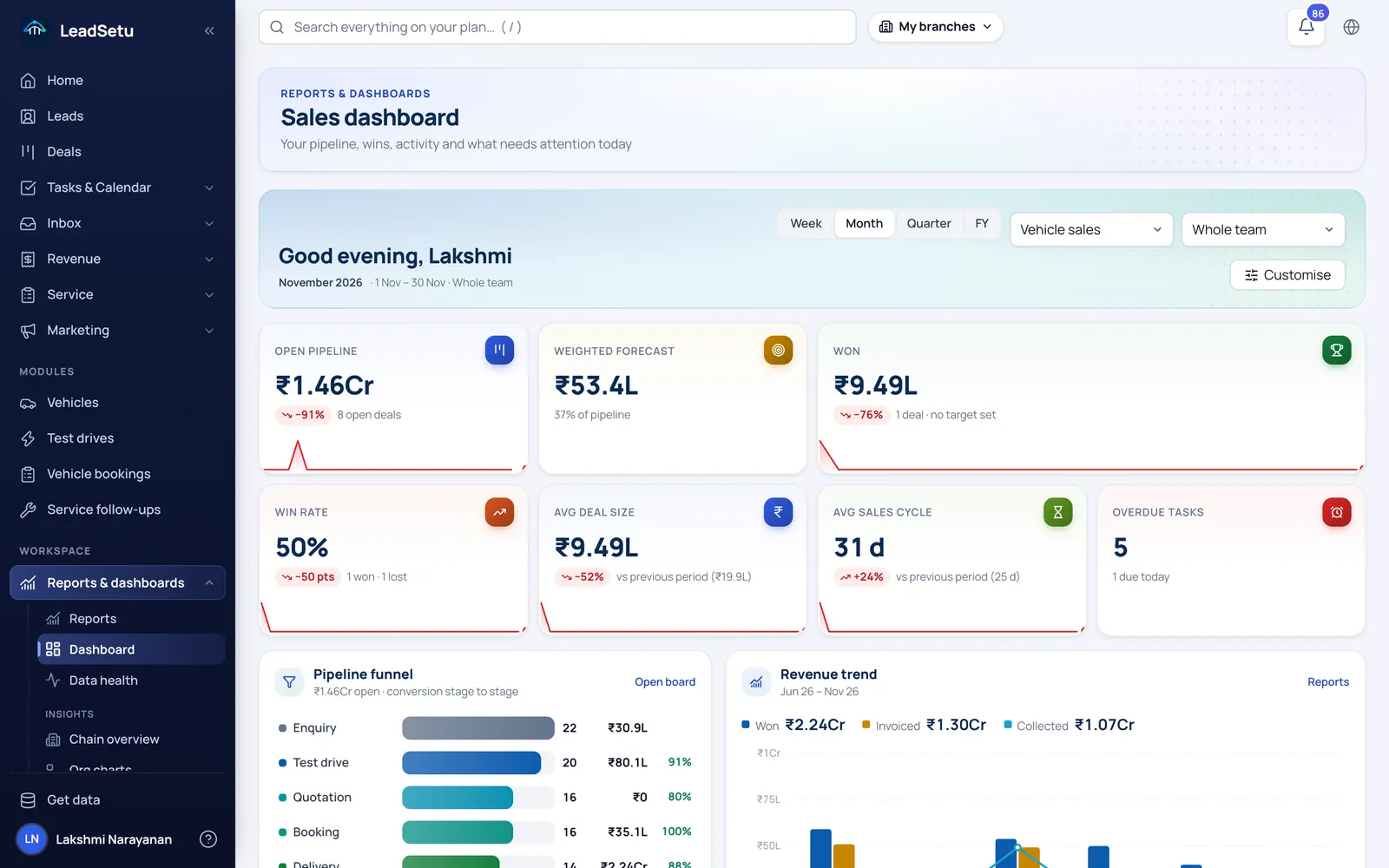
The LeadSetu sales dashboard with demo data. Call reports sit alongside it in the Calls screen.
Reports a calling manager should read every day
- Calls by agent: volume, connected calls and talk time per caller.
- Connect rate: connected calls divided by calls made, by agent and by lead source. A low rate on one source often means poor numbers, not poor callers.
- Overdue call-backs: promises not kept. This list should be close to empty by evening.
- Leads with no first call: new leads that missed the response target.
- Outcomes by source: which lists or portals produce "interested" and which produce "wrong number".
Use these to coach, not only to rank. Listening to two recordings with a caller each week does more than a leaderboard.
Two habits make the numbers honest. First, judge talk time together with outcomes: long calls that end in "not interested" may mean a caller is pitching when they should be qualifying. Second, compare callers on the same kind of leads. A caller working fresh website enquiries will always beat one working an old purchased list, so split the reports by source before you compare people. Share the reports with the team, not only with managers; callers who can see their own connect rate and overdue call-backs usually fix them before anyone asks.
Recording, consent and calling rules
Recording helps training and settles disputes, but it brings duties:
- Tell the customer the call may be recorded. LeadSetu shows your team's recording notice before each provider call and asks the caller to confirm they will say it.
- Respect "do not call". In LeadSetu, a lead marked do-not-contact is blocked on the calling and WhatsApp shortcuts, and the do-not-contact list applies across channels.
- Follow India's telecom rules for commercial calls and SMS, such as the TRAI regulations on unsolicited commercial communication and DLT registration for SMS. Check the current rules with your telephony provider.
- Under the DPDP Act, keep a lawful basis for contacting each person and honour withdrawal of consent.
This is general guidance, not legal advice.
What LeadSetu does for calling teams, and its limits
From our product documentation:
- One-click calling from any lead, contact or deal, with an "on the call" view and a log form for outcome, minutes, notes, a follow-up call task and a status change.
- With your own Exotel, Knowlarity or Twilio account: automatic call logs with status, talk time and recording link, incoming-call pop-ups for the lead's owner, new leads from unknown callers, and missed-call tasks.
- Dispositions with actions, call lists with filters, and reports by agent, connect rate and talk time.
- Call notes: paste a transcript and, if your team adds its own AI key, get a draft summary to edit before saving. Without that key no AI is used.
- WhatsApp from the same lead record, on any plan. See WhatsApp CRM for small business and WhatsApp in the CRM.
Limits: no speech-to-text service ships with LeadSetu (transcripts come from your provider or are pasted in); there is no power dialer that dials the next number by itself; provider calls need a connection, although calls from your own phone can be logged offline in the installed web app; and there is no app-store mobile app. If a predictive dialer is essential, ask your telephony provider what it offers and check how it logs back to the CRM.
If many of your leads come from listing portals, read how to filter junk leads from listing portals, because filtering out fake and resold enquiries before anyone dials saves more calling time than any script.
To try it with sample leads, start the 24-hour CRM trial, no card needed. More is on the CRM page and CRM for India.
Frequently asked questions
Do I need a telephony provider to use a telecalling CRM?
No. You can call from your own phones and log each call in the CRM. A provider adds automatic logging, recordings, inbound pop-ups and missed-call tasks, and bills the calls itself.
Can a CRM record calls made from a personal mobile?
Usually not reliably, because phone makers and Android versions limit call recording. Calls routed through a telephony provider are recorded by the provider, and the CRM attaches the recording link to the call.
How many dispositions should we have?
Enough to drive the next action and no more; six to eight is a common range. Every disposition should either move the lead, schedule the next call or close the lead.
How do I stop two callers phoning the same lead?
Give every lead one owner through automatic assignment, and show callers only their own leads plus unassigned ones. A response target with reassignment makes sure unowned leads do not sit idle.
Can I see which lead source gives the most connected calls?
Yes, if every lead keeps its source. Group the connect-rate and outcome reports by source to see which lists or portals are worth calling and paying for.
Related reading
CRM guide Telecalling Calling India